LandlordOS Leases

Lease management and a tenant portal
for landlords

LandlordOS keeps each lease's terms and documents in one place and gives every tenant their own portal. It turns the lease's dates, rent, fees and deposit into the tenant's rent charges, and tenants use the portal to see the lease, pay rent and send requests. Leases and the tenant portal are on every plan from $10/mo; lease e-signing starts on Standard at $25/mo.

  • Leases on every plan
  • Tenant portal included
  • E-signing from $25/mo

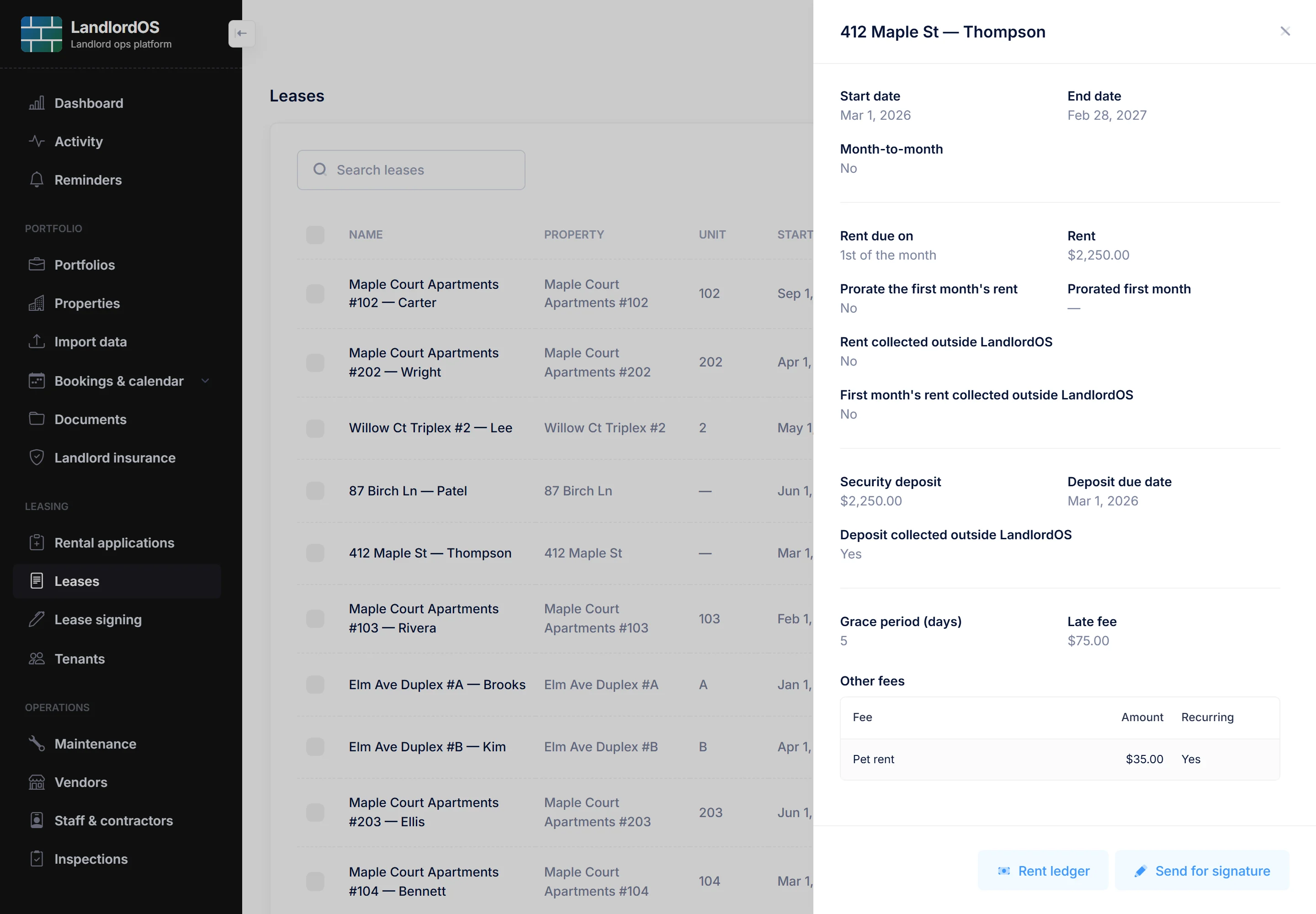
Example LandlordOS lease for Riverside Unit 2B: an active one-year term, $1,600 rent due on the 1st with a $50 late fee after 5 days, a $1,600 security deposit, a $35 monthly pet fee and a signed lease PDF shared with the tenants.

Key facts

Who it's for
Independent landlords with a handful of rentals up to a few dozen units
Every plan
Properties, tenants, leases, the lease ledger, documents, rental applications and the tenant portal
Standard and up
Lease e-signing with no separate e-signature subscription, and move-in and move-out inspections
Premium
Portfolios that group properties together
Not yet
Tenant screening and renters-insurance tracking are not available today
Price
Starter $10/mo, Standard $25/mo, Premium $35/mo, each with a 14-day free trial

01 / Properties & leases

How do properties, units and leases fit together?

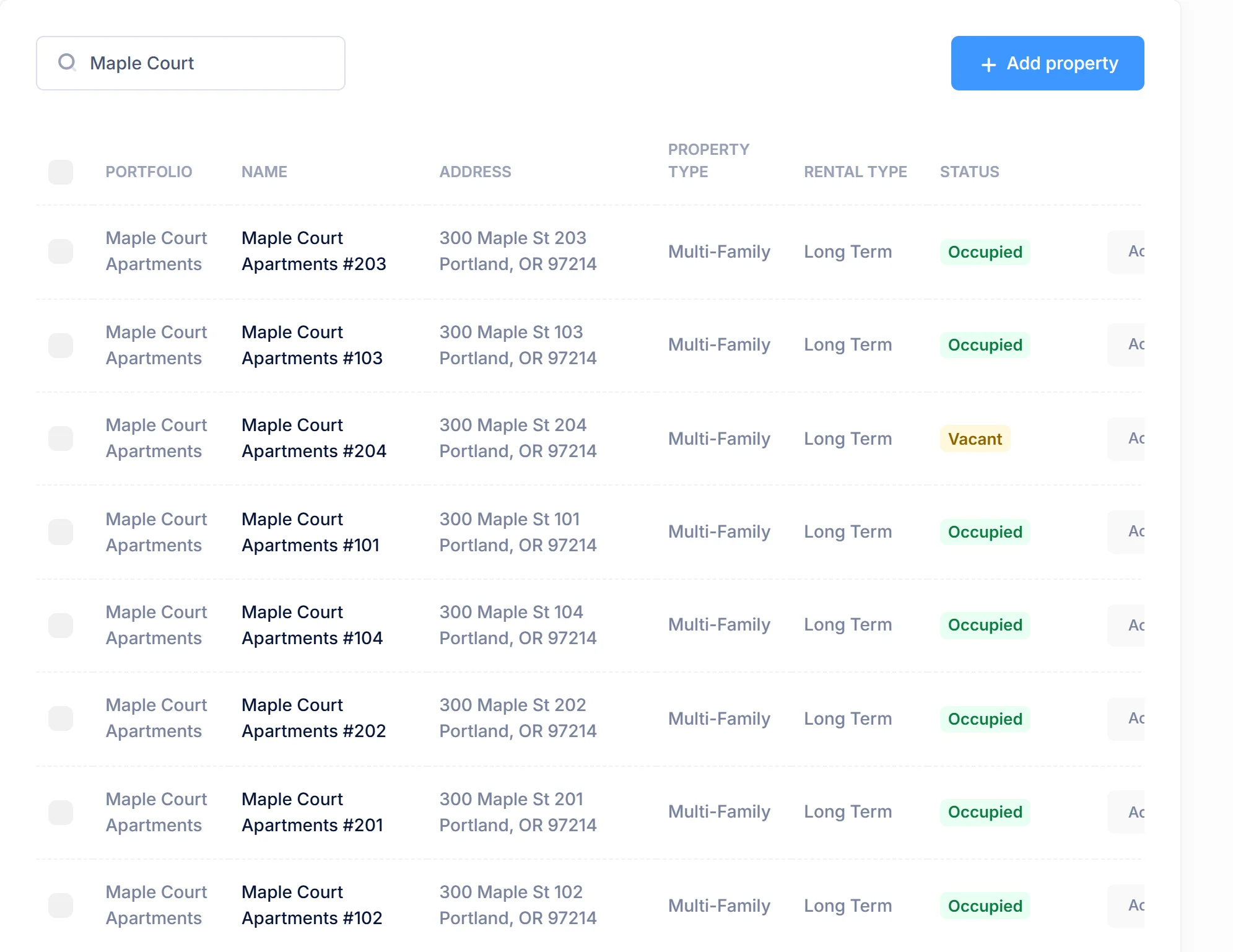
In LandlordOS each rentable home or unit is a property record, with its address, unit number, type, bedrooms, bathrooms and square feet. A lease ties one property to one or more tenants. On Premium you can group properties into portfolios, for example all the units in one building.

A lease holds the terms LandlordOS needs to bill correctly. When you save it, LandlordOS creates the rent charges on the lease ledger, and only upcoming charges change if you edit the lease later. The Reminders page flags fixed-term leases that are ending soon so you can renew or plan the turnover, and can email the tenants too.

  • Fixed-term or month-to-month, with start and end dates
  • Rent amount and due day, with an optional prorated first month
  • Security deposit and its due date, plus prepaid rent
  • Recurring and one-time fees, such as a pet fee or a move-in fee
  • Late fee amount and grace days
  • The lease PDF and other documents, each shared with tenants or kept private

02 / Lease e-signing Standard & Premium

How does lease e-signing work in LandlordOS?

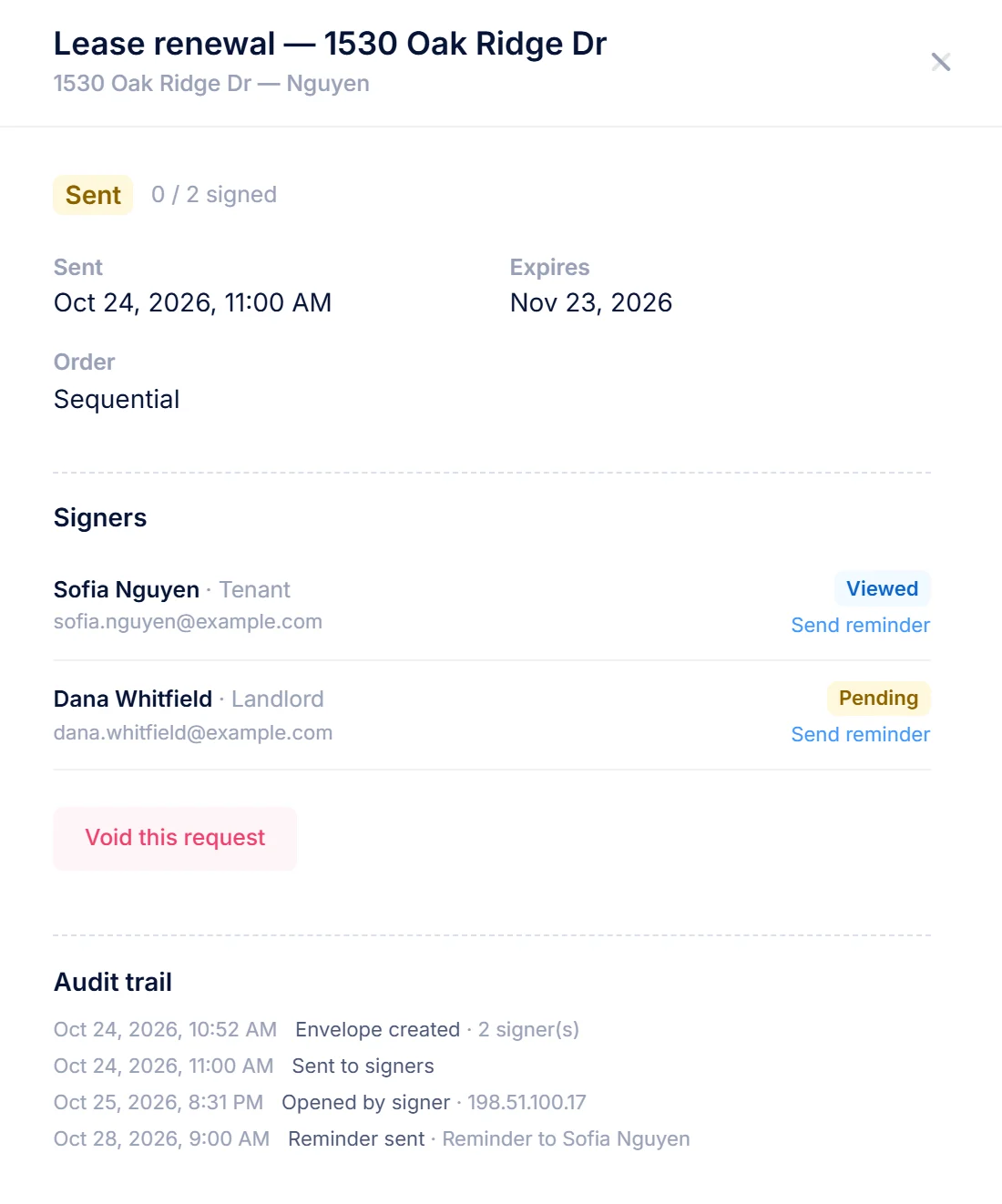
You upload your own lease PDF, place the fields, and send it. Each signer gets a secure link by email and signs on any device by drawing or typing their signature, after agreeing to sign electronically. When the last person signs, LandlordOS stamps the signatures onto the PDF, adds a certificate of completion, emails the signed copy to everyone, and saves it as the lease document. E-signing is built into LandlordOS, so there's no DocuSign seat to pay for.

  1. Upload the lease PDF and add the signers: landlord, tenants, a guarantor or a co-signer.
  2. Place fields for signatures, initials, the date signed and free text on each page, or click Place fields for me: LandlordOS finds the signature, initials and date lines in your PDF and remembers your layout for that form next time.
  3. Choose the order: everyone at once, or one after another. Add an access code if you want one, and set how long the links stay valid.
  4. Send. LandlordOS emails reminders to anyone who hasn't signed, and you can remind or void by hand.
  5. Done. Everyone gets the signed PDF, and anyone can check it on its public verification page.

Example signing envelope for Lease_Riverside_2B.pdf, signed in order: the landlord and Jordan P. have signed, and Alex P. still needs to sign with an access code.

What a signed lease includes

The document
Your PDF with every signature, initial and date stamped where you placed it
Certificate
A certificate of completion added to the end of the PDF
Audit trail
When the envelope was sent, viewed, consented to, signed, declined, reminded, voided or expired
Tenants
A tenant with portal access sees a prompt to sign the lease from the tenant portal
Declines
A signer can decline and give a reason, and you see it in LandlordOS
Expiry
Links expire after 14 days unless you choose another window, up to 180 days

03 / Tenant portal Every plan

What can tenants do in the tenant portal?

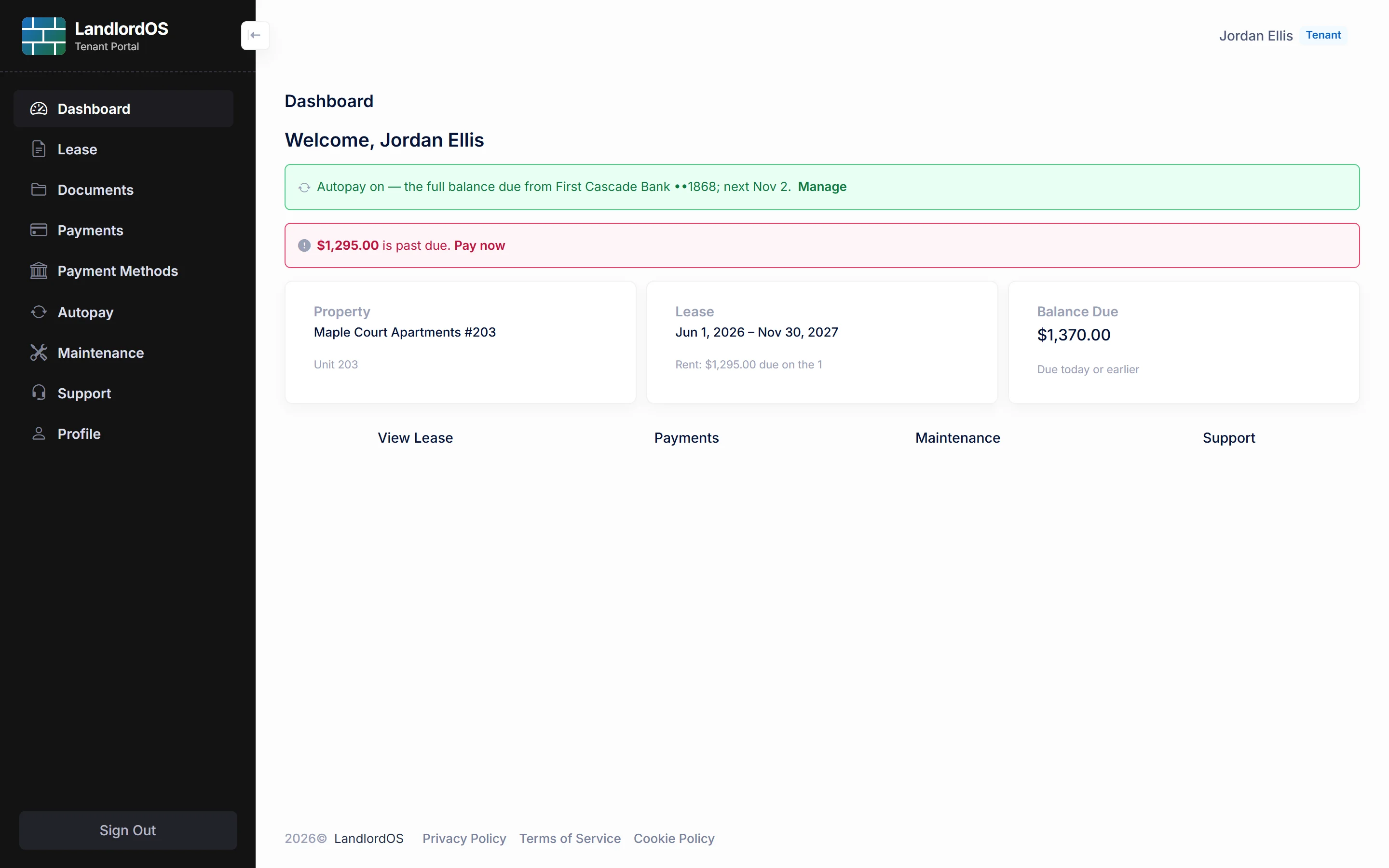
The LandlordOS tenant portal is a web login for each tenant, with nothing to install. You invite a tenant by email, they set a password, and they see their own lease, balance and documents. You can resend the link or revoke access at any time, and revoking takes effect on the tenant's next click.

  • See the lease terms and who to contact, and download the lease agreement
  • Download documents you've chosen to share with them
  • See the balance, past-due amount and payments in progress
  • Pay rent by bank transfer (see online rent collection)
  • Submit maintenance requests with photos, which you manage on Standard and Premium
  • Open support tickets and update their contact details

Example tenant portal for Jordan at Riverside 2B: the lease waiting to be signed, a $1,600 security deposit due, two shared documents and a submitted maintenance request.

04 / Before and after the lease

How do applications, move-in and inspections work?

LandlordOS covers the steps around a lease. You record an applicant's details, decide, and convert an approved application straight into a lease. At move-in, the deposit, first month's rent and prepaid rent are tracked as charges until they're paid or marked collected. On Standard and Premium, inspections record the unit's condition room by room.

Rental applicationsEvery plan

Rental applications

Contact details, current landlord and rent, employer and income, pets, vehicles, occupants and co-applicants. LandlordOS shows the rent-to-income multiple. A checklist shows what's still missing, and you can attach documents such as pay stubs. Approve or decline with notes, then convert to a lease.

InspectionsStandard & Premium

Inspections

Move-in, move-out, periodic, turnover and drive-by inspections. A starting checklist by area, a condition for each item from Excellent to Poor, notes, photos and a needs-attention flag. Schedule one ahead and LandlordOS can email the tenants notice of entry.

DocumentsEvery plan

Documents

Upload files with a title and category, attach them to a property, tenant or lease, and choose for each one whether the tenant can see it in their portal.

Inside LandlordOS

See it in the app.

Real LandlordOS screens, with demo data loaded.

Real LandlordOS screens with demo data; names and figures are made up.

Screening & insurance

Does LandlordOS do tenant screening or renters insurance?

Not yet. LandlordOS doesn't run background, credit or eviction checks today, and it doesn't track tenants' renters-insurance policies. Rental applications still work without screening: you record the application, review it and decide. Separately, the Landlord insurance page lets you request a quote from Steadily for your own property coverage on any plan.

Honest limits

What LandlordOS leases don't do (yet)

Not yet

Screening and renters insurance

No tenant screening and no renters-insurance tracking yet.

Not yet

Lease templates

No lease templates. You upload your own lease PDF to sign or store.

Not yet

Online application form

No online application form for applicants to fill in themselves. You enter applications in LandlordOS.

Manual step

Lease renewals

No renewal workflow. LandlordOS flags leases that are ending and can email the tenants; you update the dates or create the new lease.

FAQ

Lease and tenant portal questions landlords ask

From the blog: How to screen tenants: a fair, consistent process

Which LandlordOS plan includes lease e-signing?+

Lease e-signing is included in the LandlordOS Standard ($25/mo) and Premium ($35/mo) plans, with no separate e-signature subscription. Creating and storing leases is on every plan, including Starter at $10/mo.

Is the LandlordOS tenant portal free for tenants?+

Yes. Tenants don't pay anything to use the LandlordOS tenant portal, and it's included in every landlord plan. Tenants also pay no fee when they pay rent online; the landlord covers the processing cost.

Can tenants sign the lease from the LandlordOS tenant portal?+

Yes. When a lease is waiting for a tenant's signature, a tenant with portal access sees a prompt in the LandlordOS tenant portal that takes them to sign. Signers without a portal account sign from the secure link LandlordOS emails them.

Does LandlordOS include tenant screening or background checks?+

No, not today. LandlordOS does not run background, credit or eviction checks. You can record and decide rental applications in LandlordOS, and screen applicants with a provider of your choice.

Does LandlordOS track renters insurance?+

No. LandlordOS doesn't track tenants' renters-insurance policies yet. Its Landlord insurance page can request a quote from Steadily for your own property insurance.

Can LandlordOS handle multi-unit buildings?+

Yes. Each unit in LandlordOS is its own property record with its own unit number, lease and tenants, so occupancy and rent are tracked per unit. On Premium you can group a building's units into a portfolio.

Get started

Put your leases in one place.

Leases and the tenant portal are on every plan. Start with a 14-day free trial.