PraxiOS Practice management

Tax season,
without the chase.

PraxiOS keeps every client engagement on one board, collects documents through a secure portal that sorts uploads for you, and keeps invoices and payments next to the work. Built for accounting, bookkeeping and tax firms of 1 to 50 people.

  • Unlimited clients on every plan
  • No client logins to manage
  • From $299/mo
  • 14-day free trial, no card

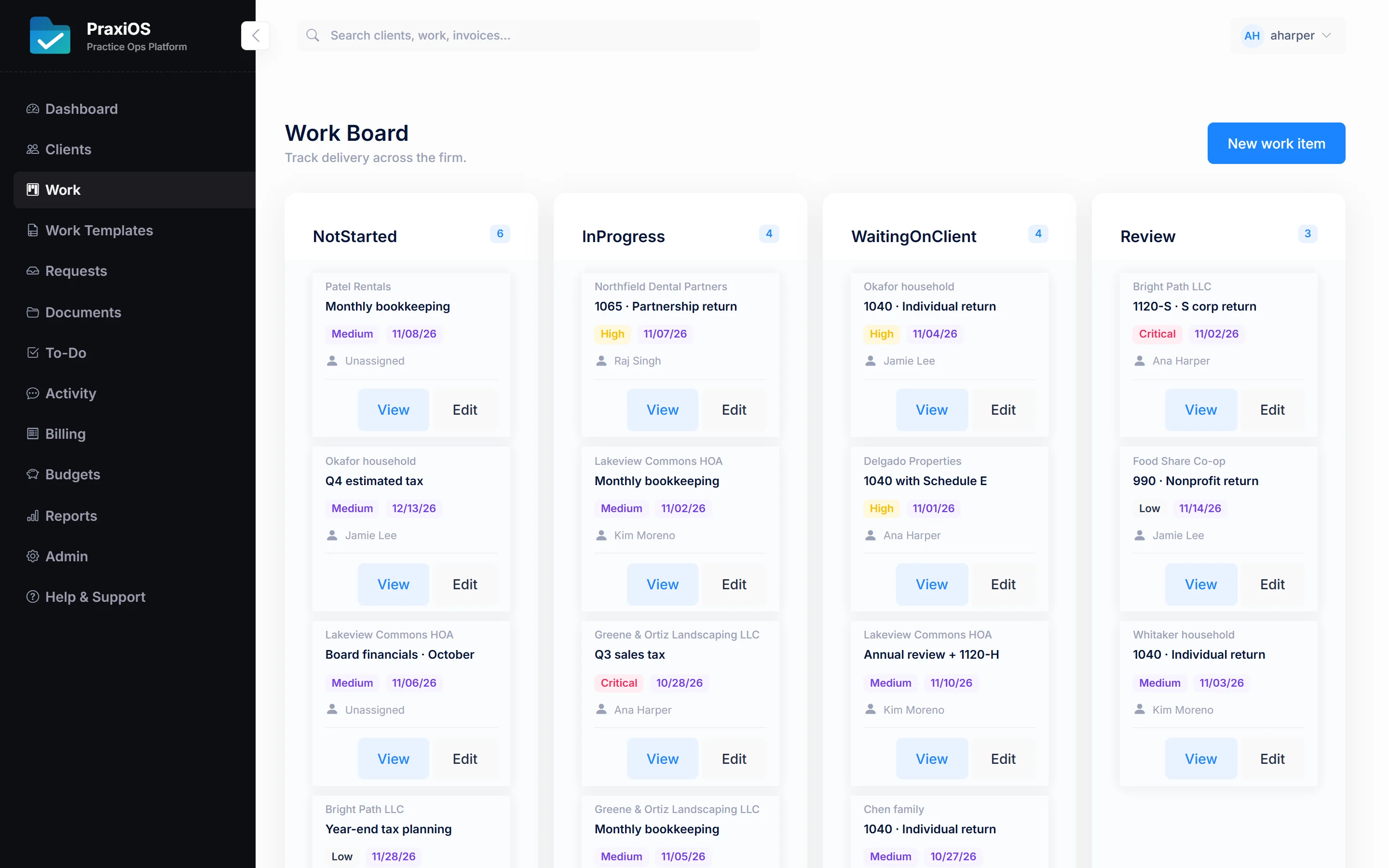
Example PraxiOS work board for the 2026 tax season: 42 open jobs, 11 waiting on clients and 3 overdue, with client jobs in Waiting on client, In progress and Review columns, each with an owner, plus a side panel of open document requests and recent portal uploads waiting for a preparer to confirm.

Retire these

“Just checking in on those W-2s…”Clients see exactly what's missing in their portal, with due dates.
The “what are we missing?” spreadsheetEach client carries a checklist and document requests with due dates.
Invoices in a separate systemInvoices, payments and overdue balances live next to the client.

PraxiOS at a glance

What is PraxiOS?

PraxiOS is practice management software for accounting, bookkeeping and tax firms of 1–50 people. It runs client work on one board, collects documents through a secure portal that recognizes each upload, tracks what each client still owes you, and keeps invoices and payment records next to the work.

Key facts

Made for
Accounting, bookkeeping and tax practices of 1–50 people
Price
From $299/moFor up to 5 users · all plans
Every plan includes
Every feature and unlimited clients
Client access
Secure expiring linksNo client account or password
Built by
DomoDomuThe company behind LandlordOS and HOAOS
Not yet available
E-signatures, integrations, public API, SSO, mobile app

What's inside

Everything a practice runs on.
In one place.

Four connected workspaces — work, documents, checklists and billing — so nothing lives in an inbox, a spreadsheet and someone's head at the same time.

01 / Work boardEvery plan

See every engagement, who owns it, and what's stuck.

Move work from not started to waiting on client, review and complete, assign an owner, and break each job into to-dos. Repeatable engagements build themselves from templates — and recurring work like monthly bookkeeping shows up on schedule without anyone creating it.

  • Work templates for repeatable processes
  • Automatic recurring work generation
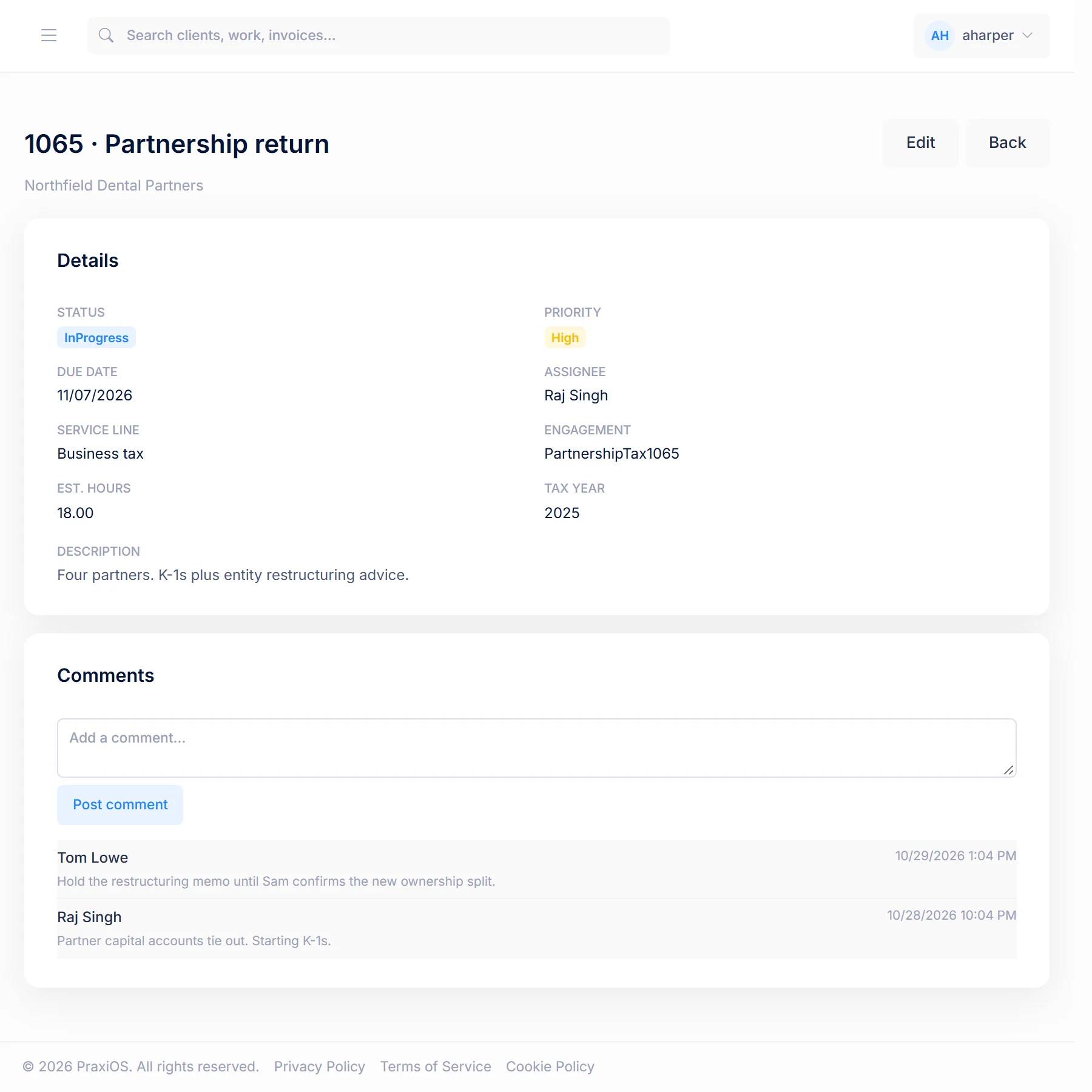
  • To-dos and comment threads on every job
  • Teams for organizing staff
More on work management →
02 / Checklists & document requestsEvery plan

Every client knows exactly what's missing.

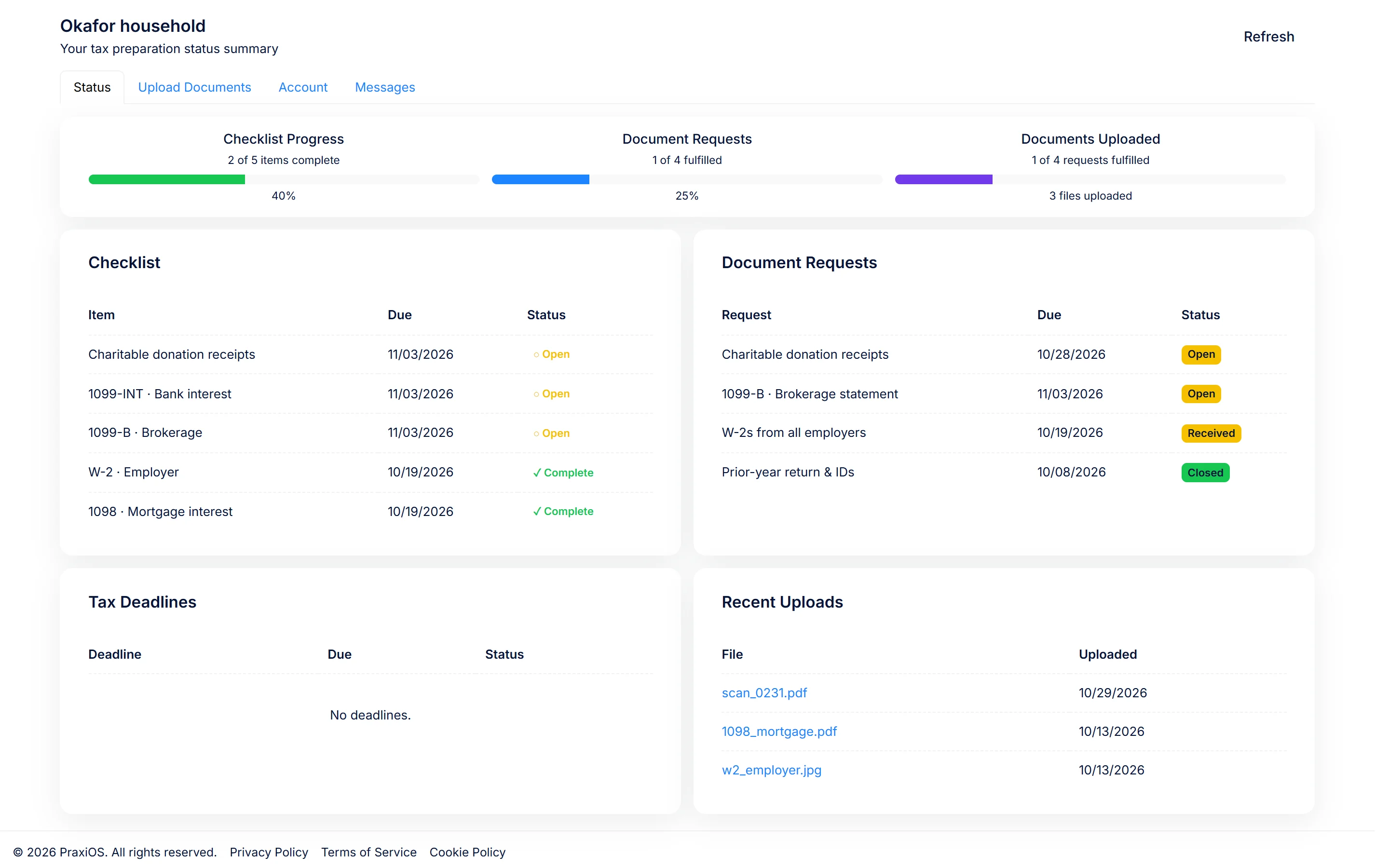
Every client carries their own checklist, and document requests carry a title, instructions and a due date. Progress shows up in the client's portal, and PraxiOS emails your staff when a request is due soon or overdue.

  • Per-client checklists
  • Document requests with due dates
  • Reminder emails to the staff who own the client
  • Progress visible in the client portal
More on checklists and the client portal →
03 / Client portal & documentsEvery plan

Clients upload.
PraxiOS reads it and files it.

Send a secure link — no account or password for your client to forget. They see what's outstanding, upload from their phone, and PraxiOS uses OCR to recognize each document and link it to the matching checklist item for your team to confirm.

  • Expiring links (1–30 days), with optional single-use mode
  • Rotate or revoke access from the client's page instantly
  • PDF, JPG, PNG, GIF and TIFF up to 50 MB
  • Uploads mapped to checklist items automatically
More on the client portal →
04 / Invoicing & paymentsEvery plan

From invoice to paid, in one place.

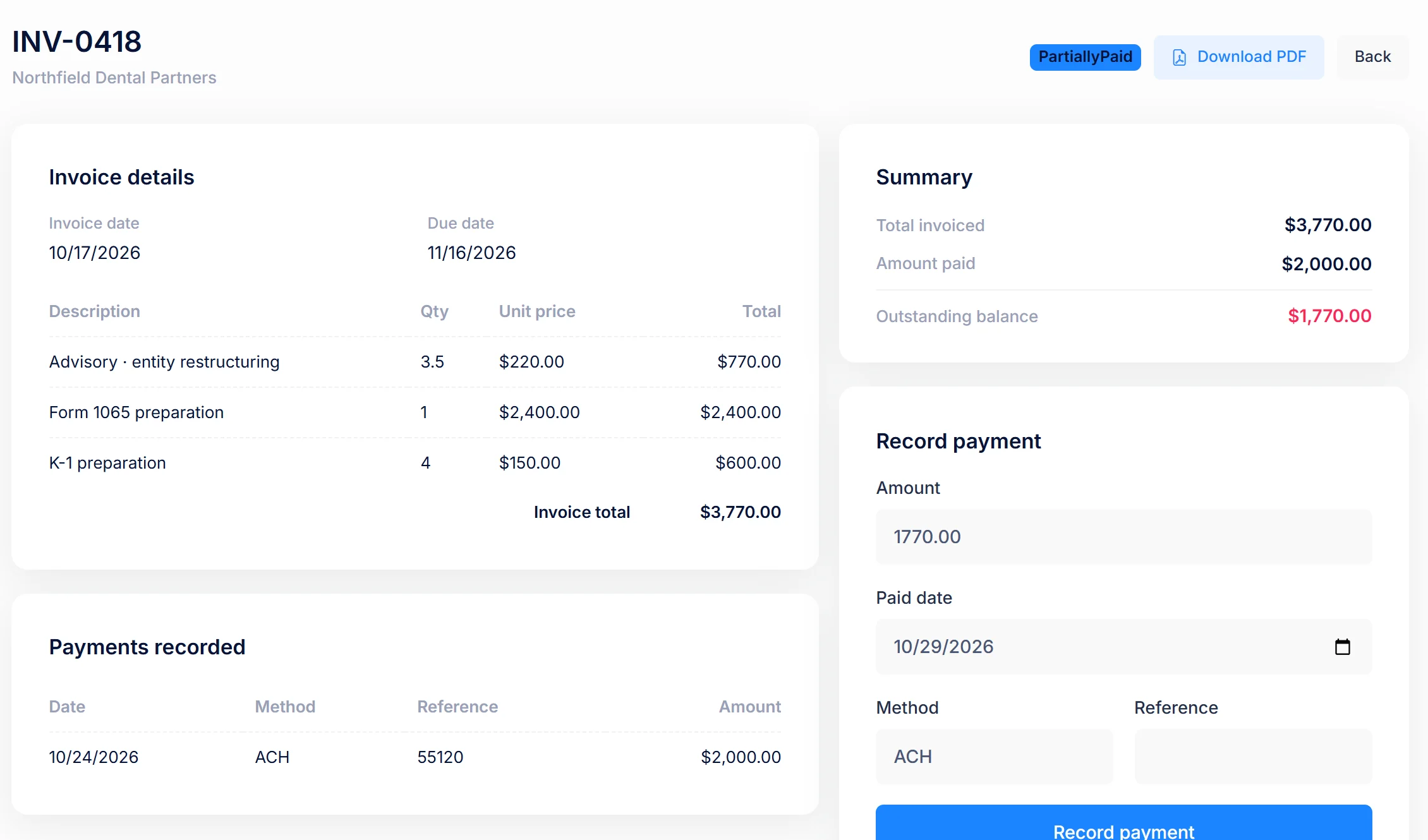
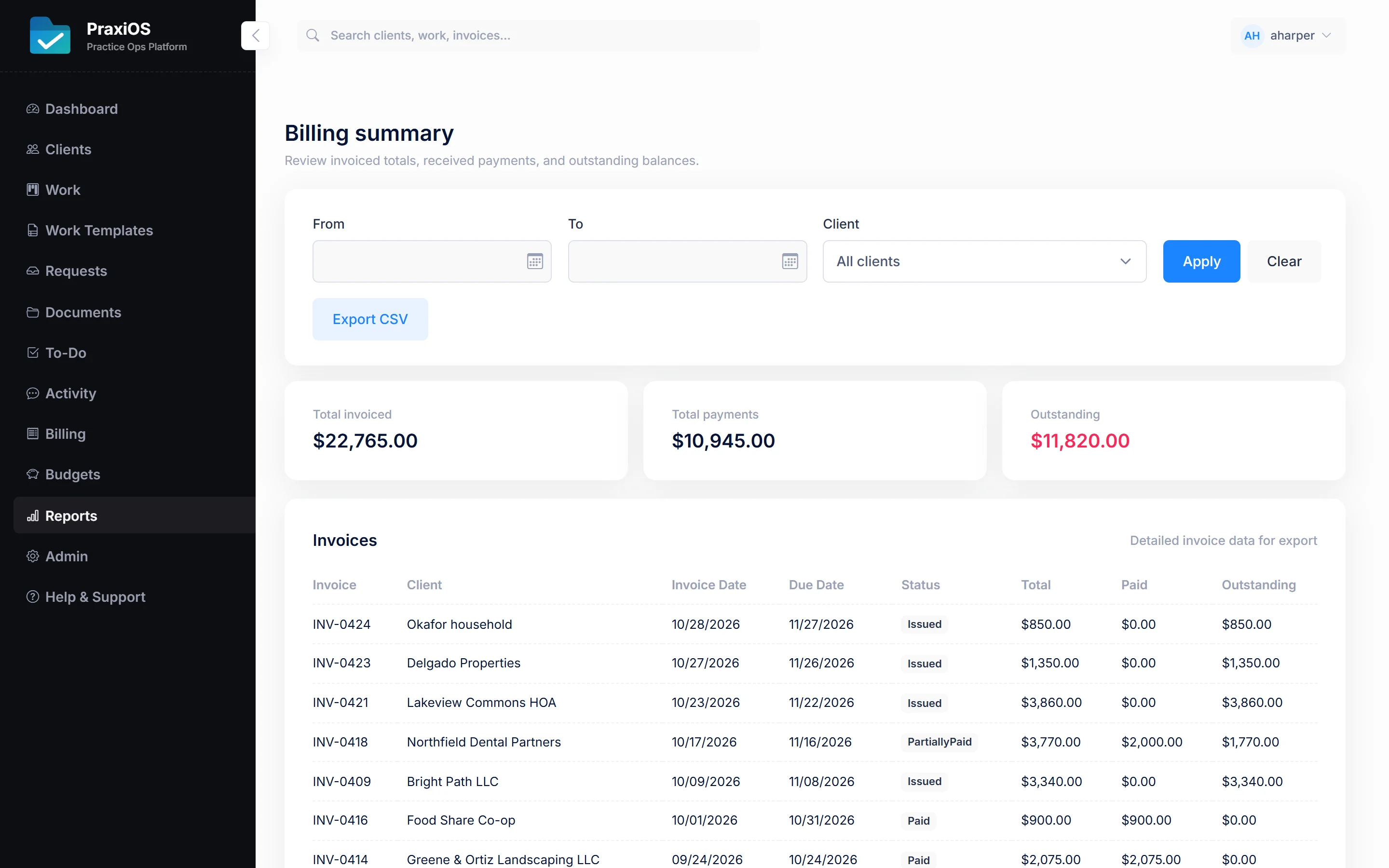
Build invoices with as many line items as you need, download them as PDFs, and record payments against them. Set a budget per client and see in the billing reports what has been invoiced against it, and who still owes what.

  • Invoice PDFs and payment recording
  • Multi-line invoices and payment tracking
  • Client budgets and recurring service records
  • Filterable billing reports
More on billing →

Explore PraxiOS

Security

Your clients' tax documents
deserve paranoia.

PraxiOS is built on the same security-first DomoDomu platform as our other products, with the extra care that sensitive financial records need. Read the security details →

Isolation

Firm-isolated data

Every record is scoped to your firm. Queries are always filtered, so data can't leak between firms.

Client portal

Hashed portal tokens

Portal links are stored hashed, expire on your schedule, and the full link is shown only once.

Roles

Role-based access

Admin, manager and staff roles. Billing and portal links are limited to managers and admins, and firm settings to admins.

Audit

Audit log

Portal access, uploads, checklist changes and reminders are logged as audit events, and every record carries created and updated timestamps.

Sign-in

Hardened sign-in

Secure, HttpOnly, strict same-site cookies, forgery protection on every form, and rate-limited logins.

Abuse

Abuse protection

Rate limits on login, password reset and portal uploads keep automated attacks out.

Pricing

Priced per firm.
Not per client.

Every plan includes every feature and unlimited clients. Plans differ by team size and support.

Starter

$299/mo
  • Up to 5 users
  • Email support
See the Starter plan

Professional

$699/mo
  • Up to 15 users
  • Priority email + onboarding session
See the Professional plan

Enterprise

$1,499/mo
  • Up to 50 users
  • Import help + quarterly check-in
See the Enterprise plan

Prices in USD · Book a demo · Compare plans, annual pricing and the roadmap →

Inside PraxiOS

See it in the app.

Real PraxiOS screens, with demo data loaded.

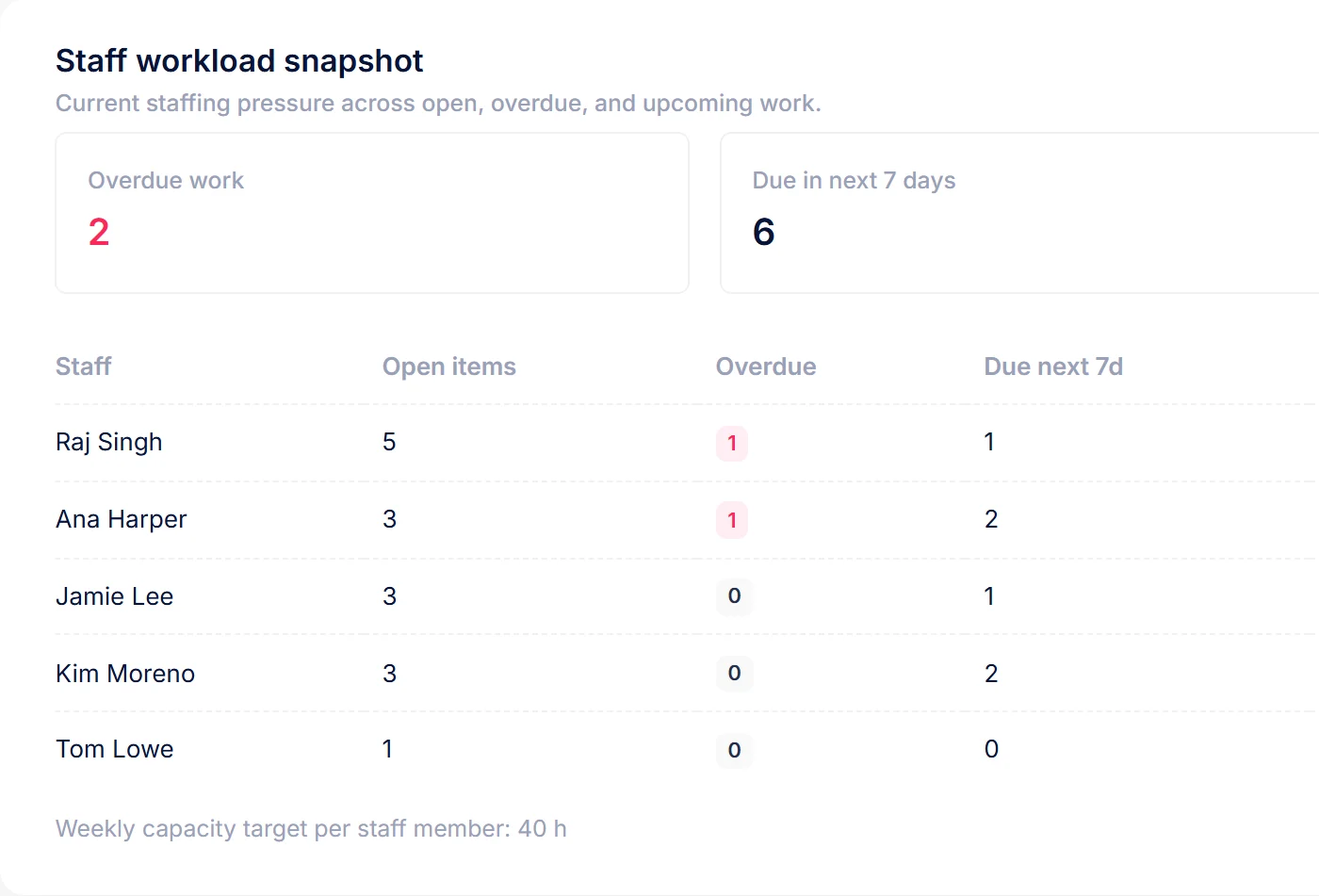
Real PraxiOS screens with demo data; names and figures are made up.

FAQ

Questions firms actually ask.

Something else on your mind? Email us and a person will answer.

Do my clients need to create an account?+

No. You send each client a secure portal link from their page in PraxiOS. You choose how long it stays valid (1 to 30 days) and whether it works only once. You can rotate or revoke it at any time.

How does the document recognition work?+

When a client uploads a file, PraxiOS runs OCR on it and analyzes the contents to work out what kind of document it is, then links it to the matching item on that client's checklist for your team to confirm.

What file types can clients upload?+

PDF, JPG, JPEG, PNG, GIF and TIFF, up to 50 MB per file — which covers phone photos, scans and the PDFs banks and employers send.

Is there a limit on clients?+

No. Every plan includes unlimited clients. Plans differ by the number of users on your team and the level of support.

Can I switch plans later?+

Yes. Admins can upgrade from Firm Settings inside PraxiOS as your team grows, and change plan or cancel through the billing portal. The Users page shows how many of your user seats are in use.

How is PraxiOS related to DomoDomu?+

PraxiOS is built by DomoDomu, the company behind LandlordOS and HOAOS. All three run on the same platform, which is why PraxiOS fits naturally if your firm serves landlords or homeowner associations.

Get started

Make this the last tax season you chase paper.

Pick a plan and set up your firm today, or let us walk you through PraxiOS with your own workflow.