 PraxiOS
 LandlordOS
 HOAOS
HOAOSInvoiced, paid and outstanding
Every invoice with its status, total, amount paid and balance, plus totals for the period. CSV export.
PraxiOS Billing
PraxiOS builds multi-line invoices, tracks what every client has paid, with budget and A/R aging reports for what's still outstanding. PraxiOS records payments you receive by check, ACH or card elsewhere; it does not process payments itself.
Example PraxiOS billing report for Q1 2026 across all clients: one invoice partially paid, one paid and one issued, with $18,240 invoiced, $14,670 in payments recorded and $3,570 outstanding.
Key facts
Invoices
You pick the client, add as many lines as you need — each a description, a quantity and a unit price — and PraxiOS totals them. PraxiOS suggests an invoice number, sets the due date 30 days out by default (you can change it), and lets you download each invoice as a PDF to send to the client.
Payments
No. PraxiOS records payments; it doesn't collect them. Your client pays the way they already do — check, ACH, card through your own processor — and you record the payment against the invoice with its date, amount, method and a reference such as a check number.
An invoice can take several payments. After each one, PraxiOS adds up what's been paid and sets the status to Partially paid or Paid, and the billing and A/R aging reports show the outstanding balance.
What PraxiOS does and doesn't do with payments
Budgets & recurring services
A budget in PraxiOS is a dollar amount for a client over a period, such as $8,000 for the 2026 calendar year. The budget report compares it with what you've invoiced that client in the same period, so you can see which engagements are running ahead of plan.
Service subscriptions record the recurring services a client is on — for example, monthly bookkeeping at $450 — with a billing cadence, price, start and end dates, and whether it's active. They're a record of the arrangement: PraxiOS doesn't generate invoices from them automatically.
Reports
PraxiOS includes billing reports, each filtered by date range and, where it makes sense, by client or staff member. Billing and A/R aging can be exported to CSV for your accounting software or a spreadsheet.
Every invoice with its status, total, amount paid and balance, plus totals for the period. CSV export.
Unpaid balances grouped as current, 1–30, 31–60, 61–90 and 90+ days past due. CSV export.
Each client budget next to what's been invoiced in its period.
Each staff member's open and overdue work, side by side.
Inside PraxiOS
Real PraxiOS screens, with demo data loaded.
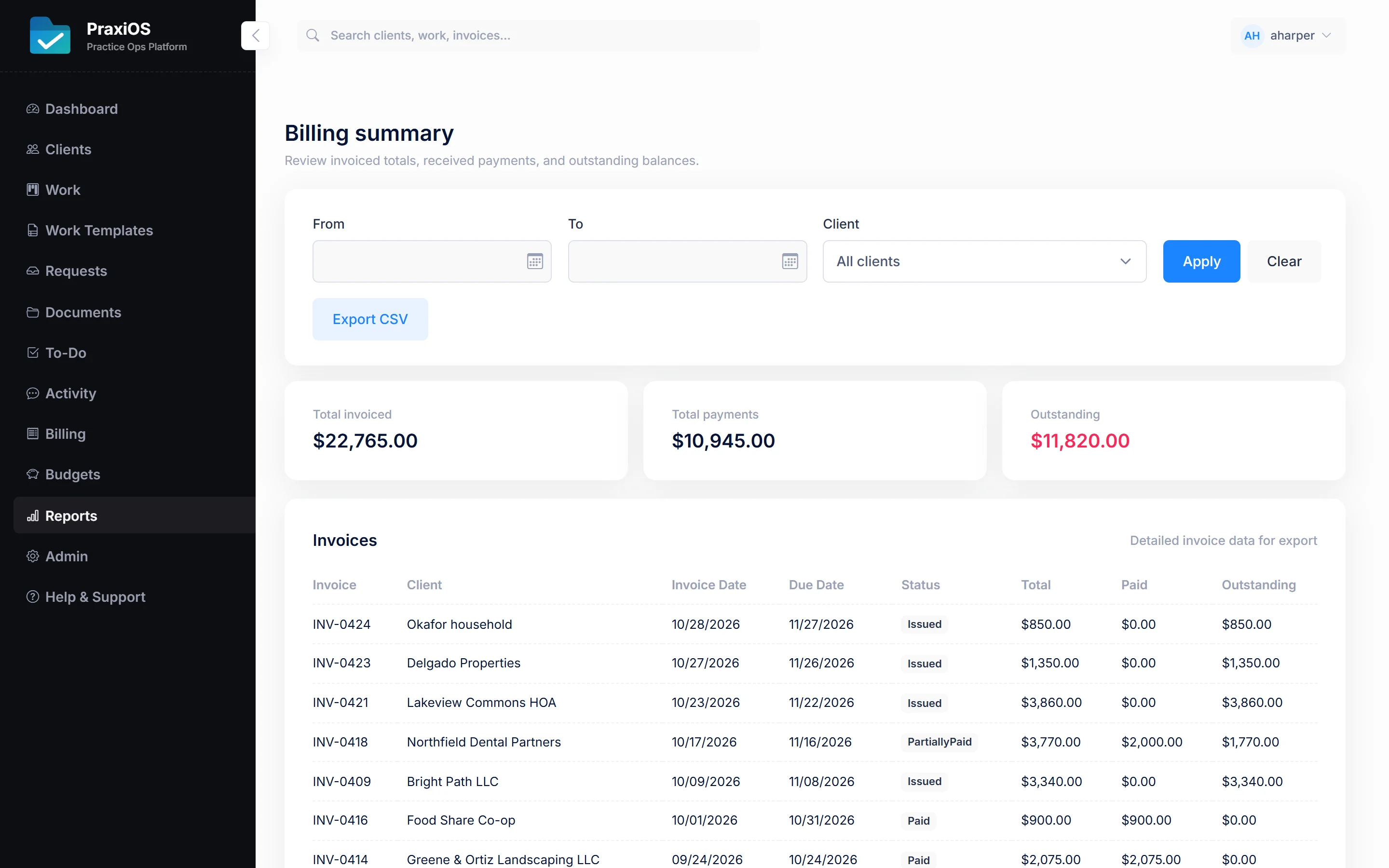
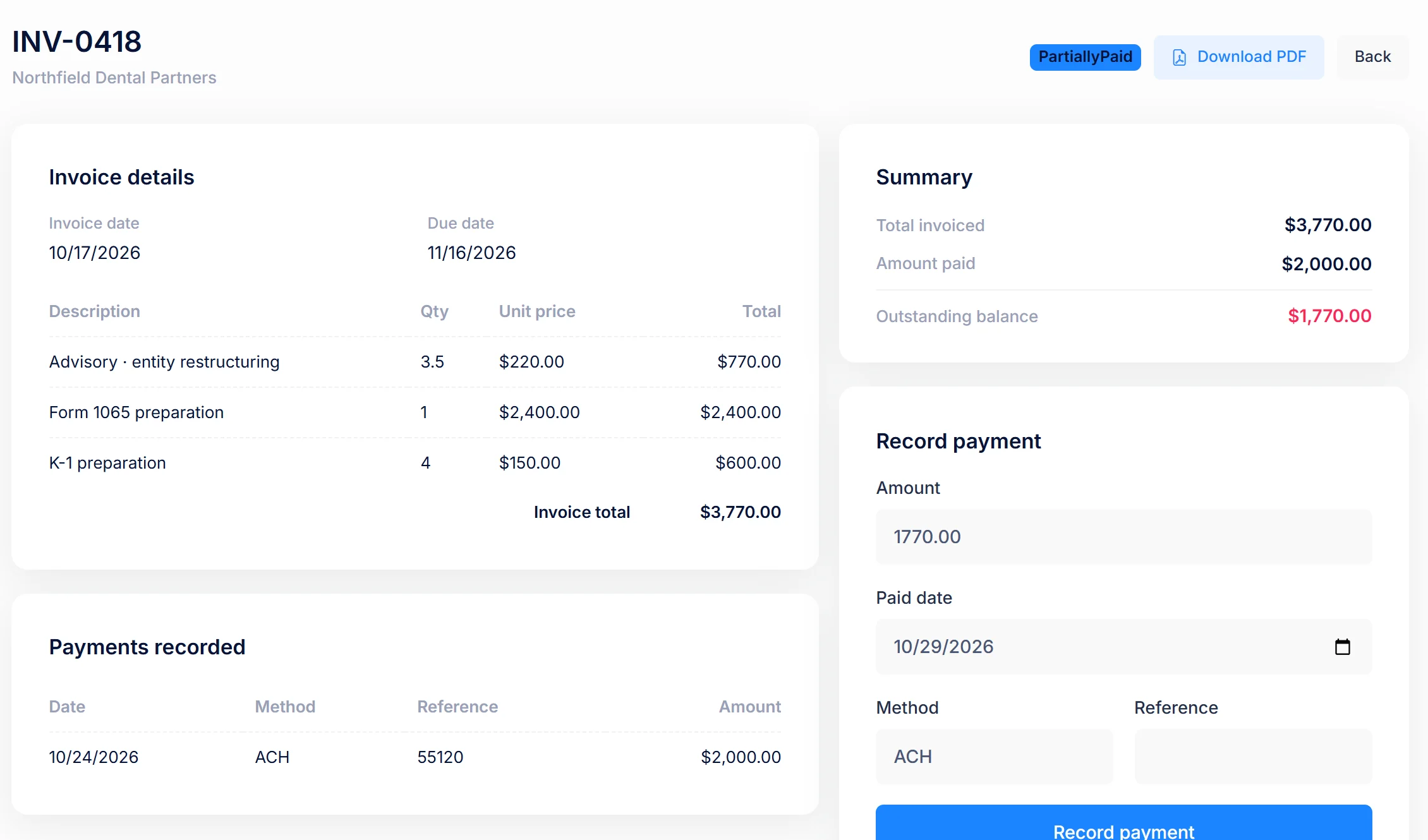
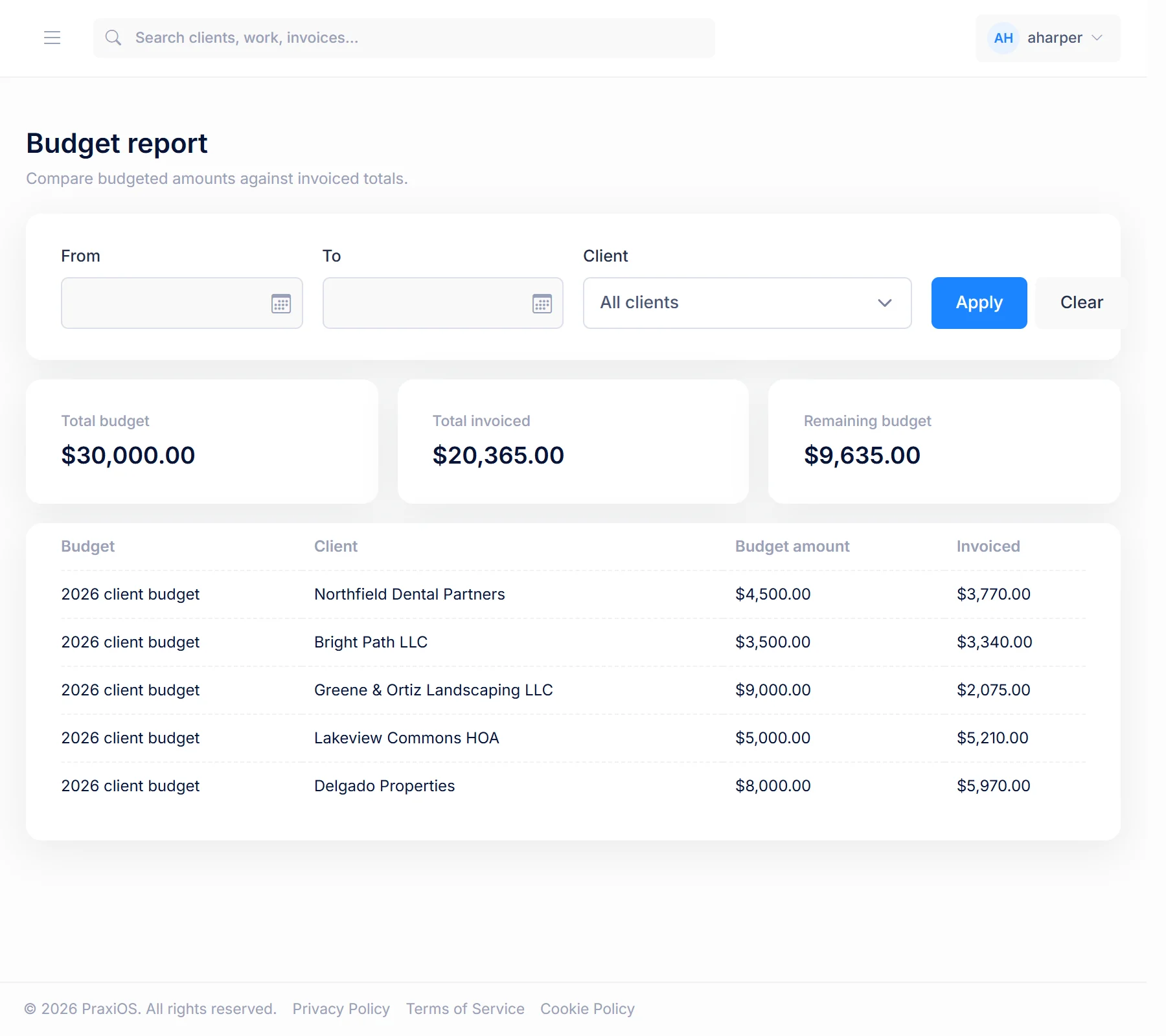
Real PraxiOS screens with demo data; names and figures are made up.
No. PraxiOS doesn't process card or ACH payments and doesn't send payment links. Clients pay the way they do today, and you record each payment against the invoice in PraxiOS so the status and outstanding balance stay current.
No. PraxiOS has no accounting-software integrations or public API today. You can export the billing and A/R aging reports to CSV and download each invoice as a PDF.
Yes. Each PraxiOS invoice line is a quantity times a unit price, so a fixed fee is one line at the fee and hourly work is the hours at your rate. Jobs also carry a billing type of hourly, fixed fee, retainer or no charge.
No. PraxiOS records each client's recurring services, with cadence and price, but you create the invoices yourself. PraxiOS does generate recurring work items automatically from templates; that applies to jobs, not invoices.
Only users with the Manager or Admin role. In PraxiOS, billing, budgets and reports are restricted to those roles, so staff accountants can work on clients without seeing what the firm charges them.
No. Invoicing, payment recording, budgets and billing reports are included in every PraxiOS plan, which starts at $299 a month for up to 5 users.
Keep exploring PraxiOS
Get started
Bring a real engagement. We'll walk through the invoice, the payment and the reports with you.