 PraxiOS
 LandlordOS
 HOAOS
HOAOSPraxiOS Work management
Work management for accounting firms,
on one board.
PraxiOS work management puts every engagement an accounting firm runs on one board with five statuses — Not started, In progress, Waiting on client, Review and Complete — and an owner, priority and due date on each job. Recurring work such as monthly bookkeeping or quarterly estimates is created automatically from templates.
- Every plan
- Five statuses
- Recurring work from templates
Example PraxiOS work board for Harper & Lowe CPAs: jobs in Waiting on client, In progress and Review columns, each with a client, a priority or due date, and an owner.
Key facts
- Who it's for
- Accounting, bookkeeping and tax firms of 1–50 people running many client engagements at once.
- Work board
- Five fixed statuses: Not started, In progress, Waiting on client, Review, Complete. Drag cards between columns.
- On every job
- Client, owner, due date, priority (Low, Medium, High, Critical), service line, to-dos and comments.
- Recurring work
- Templates repeat monthly, quarterly or annually, or run once, and create the work item on schedule.
- Plan availability
- Every plan, with unlimited clients. PraxiOS starts at $299/mo for up to 5 users.
- Not included
- Custom workflow stages, task dependencies and integrations are not available today.
01 / Work board
What does the PraxiOS work board show?
The PraxiOS work board shows every open engagement in your firm as a card in one of five status columns, so you can see at a glance what's moving, what's stuck waiting on a client and what's ready for review. Drag a card to change its status, or drag it up and down to set the order within a column.
Each work item belongs to a client and carries a title, description, owner, due date, priority and service line. The statuses are the same for every firm, which keeps reporting consistent.
- Not started
- In progress
- Waiting on client
- Review
- Complete
02 / Templates & recurring work
How does recurring work get created?
Recurring work is created by PraxiOS itself. You set up a work template for a client with a schedule — monthly, quarterly, annually or once — and a background job checks templates several times a day. When a template's next run date arrives, PraxiOS adds the work item to the board and moves the next run date forward.
A template fills in the new job's title, description, starting status, priority, service line and due date (a set number of days after it's created). It can also set the engagement type, billing type (hourly, fixed fee, retainer or no charge), estimated hours, fixed fee and tax year. Templates can stop on an end date, and PraxiOS won't create the same job twice for the same due date.
- Schedules: monthly, quarterly, annually, or a single scheduled run
- Tax year set automatically, e.g. “last year” for a return prepared this spring
- Pause a template, or give it an end date
- Templates are managed by managers and admins
03 / To-dos & comments
How does a team work together on one job?
A team works on one job through its to-dos and comments. Break each work item into to-dos, each with its own assignee, due date and notes, and tick them off as you go. Comments keep the conversation on the job instead of in inboxes: the job's owner is emailed when someone comments, and anyone you @mention is emailed too.
- To-dos with assignee, due date and notes
- Comment threads on every work item
- @mentions that email the person you name
- Reminder emails to the owner as a job's due date nears
04 / Dashboard & teams
How do managers see workload across the firm?
Managers see firm-wide workload on the PraxiOS dashboard: open work, work waiting on clients, overdue work, work due in the next 7 days, and jobs with nobody assigned. A staff workload snapshot shows each person's open, overdue and due-soon items so you can see who is overloaded before work slips.
Group people into teams with leads and members. Admins and managers manage every team; other staff can open only the teams they belong to. Teams organize people; they don't limit which clients a staff member can see. Managers and admins also get operations and PraxiOS billing reports.
- Dashboard of open, waiting, overdue, due-soon and unassigned work
- Per-person open, overdue and due-soon work
- Admin, manager and staff roles; teams with leads and members
Inside PraxiOS
See it in the app.
Real PraxiOS screens, with demo data loaded.
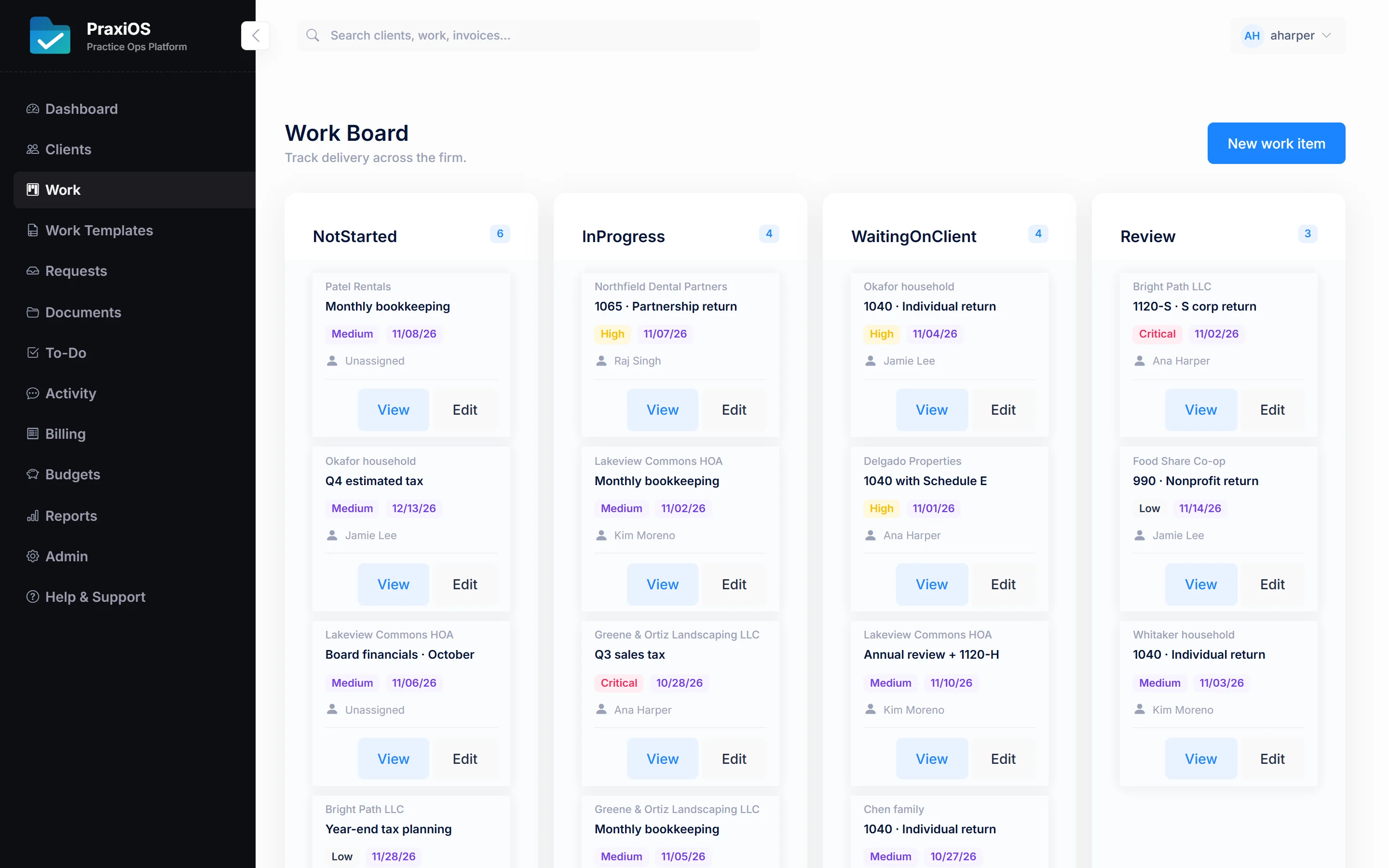
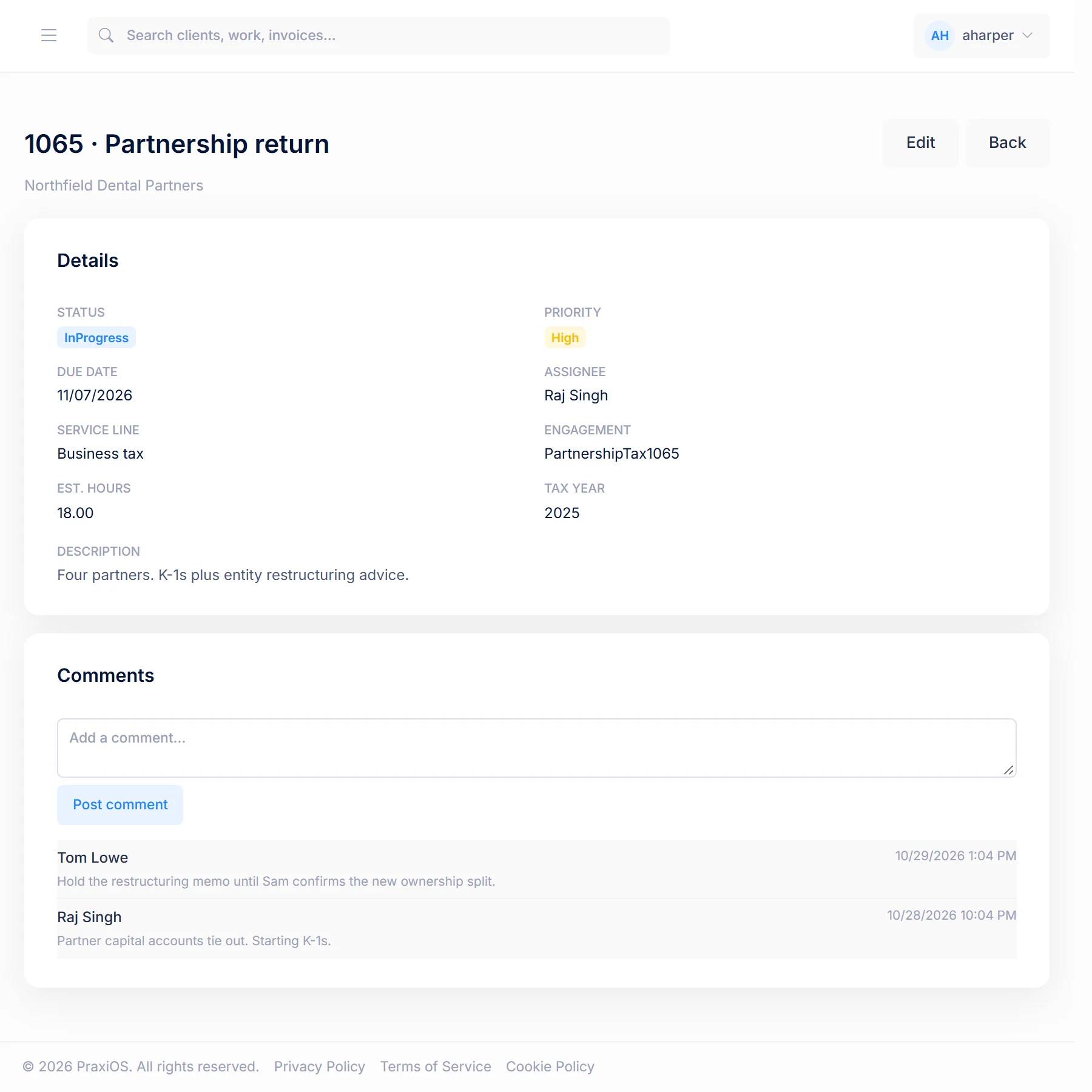
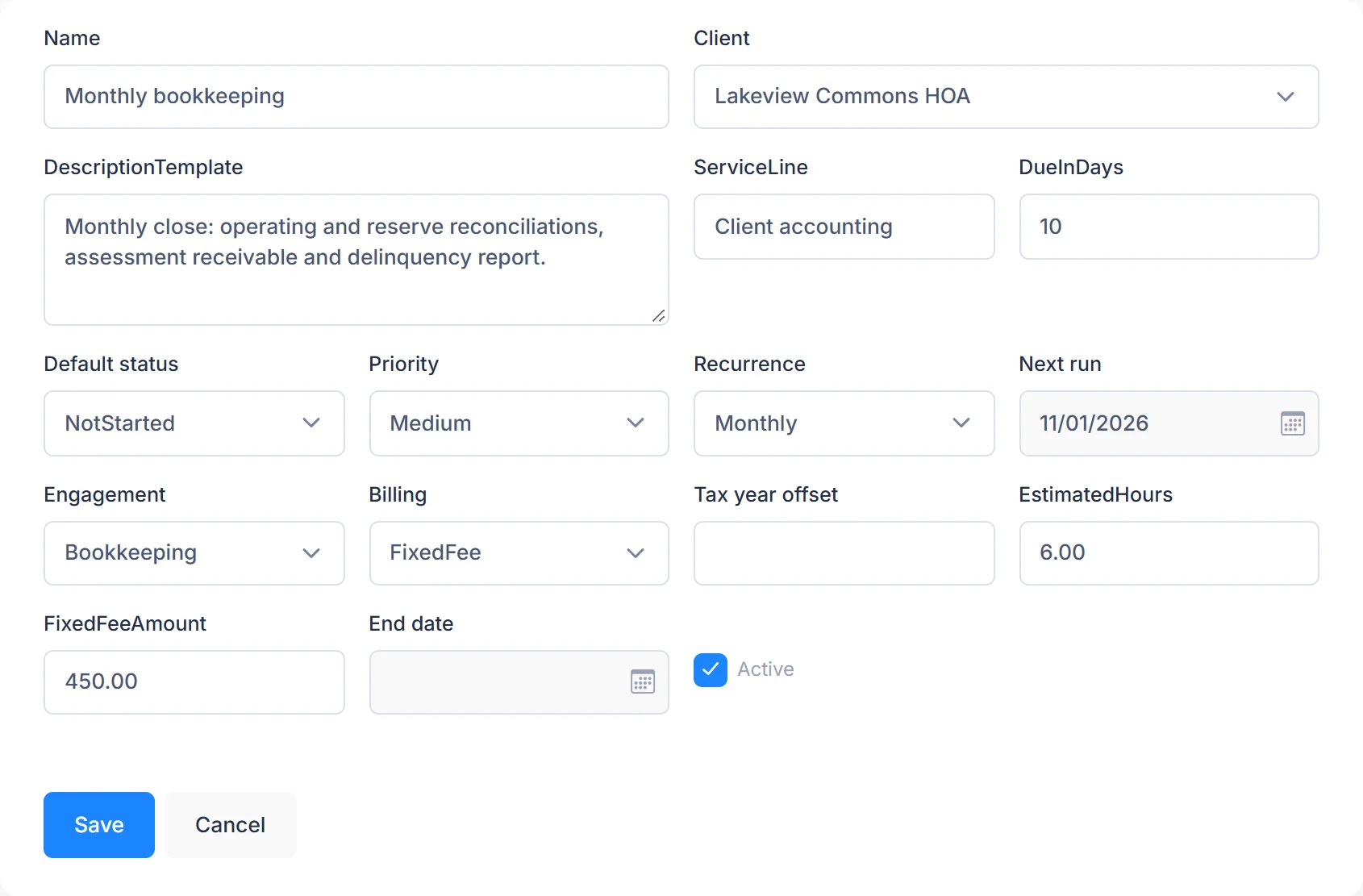
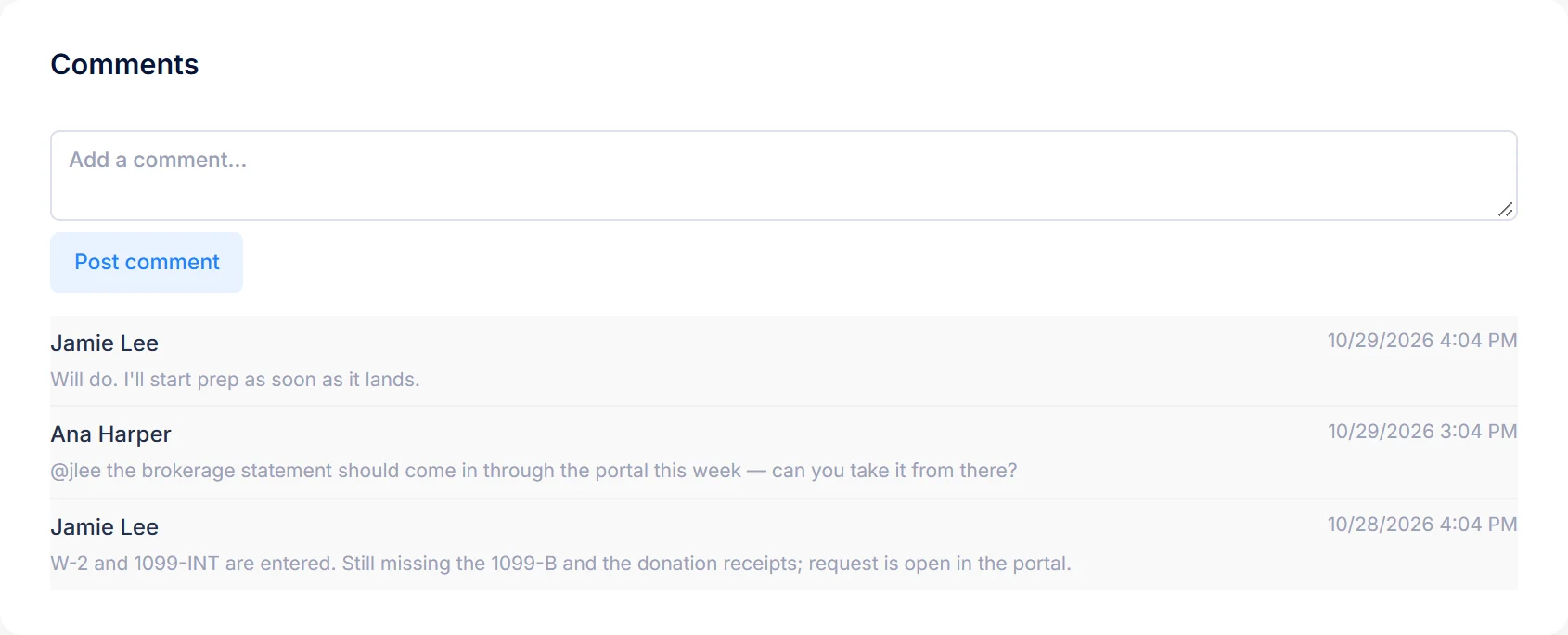
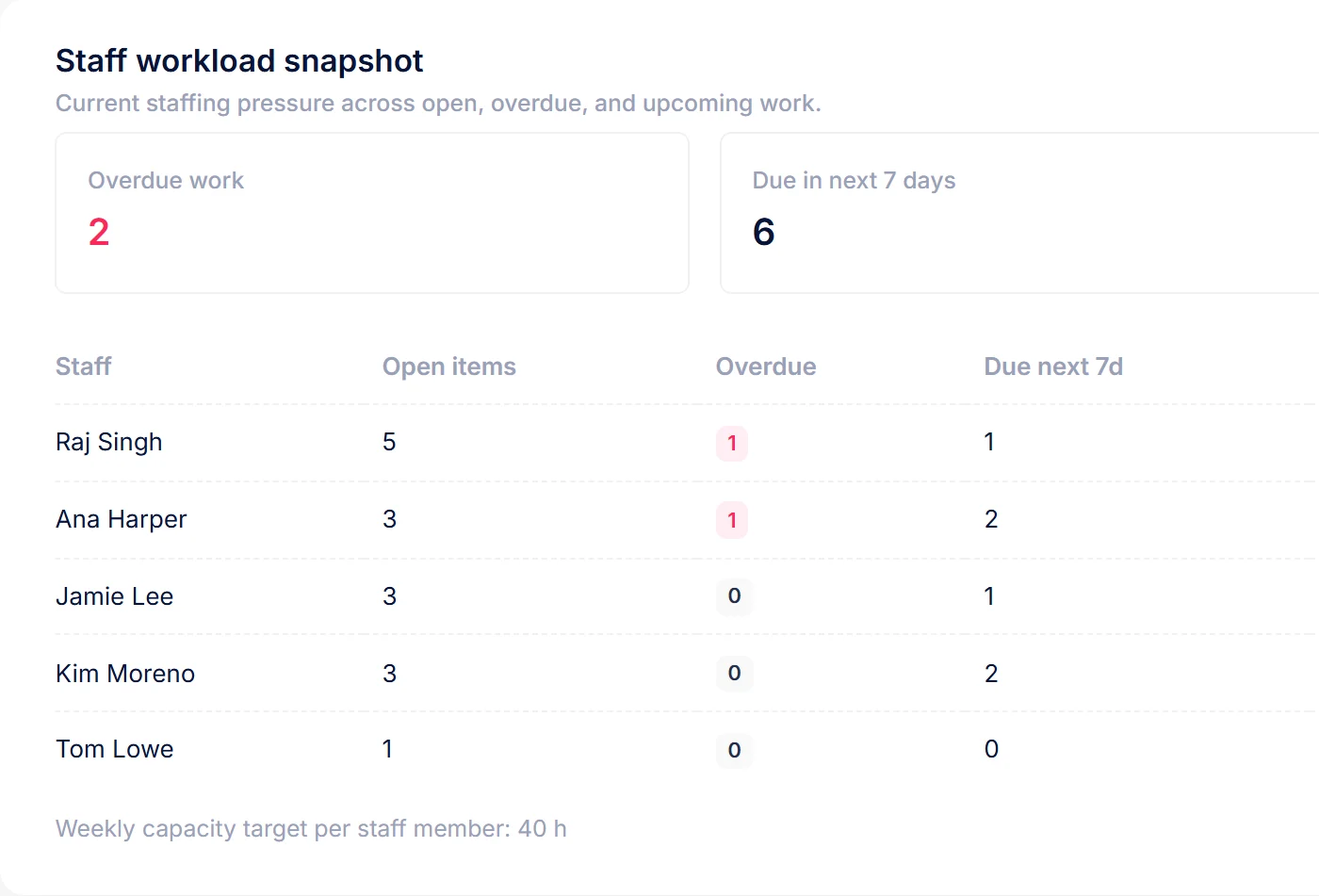
Real PraxiOS screens with demo data; names and figures are made up.
Straight answers
What PraxiOS doesn't do (yet).
PraxiOS work management is deliberately simple. Here is where it stops today.
Custom workflow stages
Every firm uses the same five statuses. You can't add or rename columns yet.
Template checklists of to-dos
A template creates the job, not its to-dos. Add to-dos to each job, or describe the steps in the template's description.
Task dependencies and Gantt views
PraxiOS doesn't link jobs so one starts when another finishes, and has no timeline view.
Integrations and a public API
There's no sync with email, calendars or tax software today, and no mobile app.
FAQ
Work management questions.
From the blog: How to collect client tax documents without the email chaos
Something else? Email us and a person will answer.
What statuses does the PraxiOS work board use?+
The PraxiOS work board uses five statuses: Not started, In progress, Waiting on client, Review and Complete. They are the same for every firm and can't be customized yet; custom workflow stages are on the roadmap.
How often can recurring work repeat in PraxiOS?+
A PraxiOS work template can repeat monthly, quarterly or annually, or run once on a scheduled date. PraxiOS checks templates several times a day and adds each job to the work board when its run date arrives.
Can I assign work to a specific person in PraxiOS?+
Yes. Every PraxiOS work item and to-do can have an owner. Owners get reminder emails as their work nears its due date, and are emailed when someone comments on their job.
Does PraxiOS track time against each job?+
Not yet. PraxiOS work items carry a billing type (hourly, fixed fee, retainer or no charge) and estimated hours, and PraxiOS has time reports, but there is no timer or time-entry screen in the app today. Invoicing is covered on the PraxiOS billing page.
Can PraxiOS replace a spreadsheet of client work?+
For most small firms, yes. PraxiOS keeps each job's client, owner, status, priority and due date on one board, and its dashboard and reports answer the questions a work-tracking spreadsheet usually does. PraxiOS can import your client list from a CSV file, but it doesn't import existing work items, so open jobs are added to the board by hand or created from templates.
More of PraxiOS
Get started
Know what's stuck before it's late.
See the PraxiOS work board with your own engagements, or compare plans and start today.