 PraxiOS
 LandlordOS
 HOAOS
HOAOSAnnual audit, review or compilation
The level of service is usually set by the association's governing documents and state law, and often depends on the association's size or revenue. Requirements vary by state.
PraxiOS For HOA accountants
CPAs who serve community associations juggle a different calendar from everyone else: audits and reviews tied to fiscal years, monthly board packages, budget season, and a stack of Form 1120-H returns. PraxiOS keeps each association's engagements, documents and billing in one place — and collects board and manager paperwork through a portal that recognizes what's uploaded.
Example PraxiOS client portal checklist for an HOA: operating bank statements, budget-approval minutes and the reserve study received, AR aging still needed, and a just-uploaded reserve account statement recognized as a bank statement and matched to its checklist item for the team to confirm.
The work
The level of service is usually set by the association's governing documents and state law, and often depends on the association's size or revenue. Requirements vary by state.
Most associations choose each year between Form 1120-H and Form 1120. Plus vendor 1099 information returns for the board.
Balance sheet, income statement against budget, delinquency report and reserve balances for every board meeting.
Tracking reserve contributions and spending against the reserve study, and disclosing reserves in the financial statements.
Helping the board and manager build next year's operating and reserve budget, and the assessment that funds it.
One client, several engagements a year — each with its own owner and invoice, against one yearly budget.
How it works today
Everything below uses features available on every PraxiOS plan right now, whatever software the association or its manager uses.
01 / Engagement templates
Build work templates for the engagements you repeat: annual audit or review, Form 1120-H, board financials, budget assistance. Each new engagement starts from its template, with the title, engagement type, billing and due date filled in, and moves across the work board with an owner on every step, so nothing depends on who remembers how last year went.
02 / Association document checklist
Give each association its own checklist and send a secure, expiring portal link — nobody on the board needs a password. Uploads are read with OCR, classified by document type and linked to the matching checklist item. A typical year-end association checklist:
03 / Recurring work & document requests
Monthly or quarterly board financials are recurring work: they appear on the board on schedule, ready to be assigned. Ask the treasurer or manager for bank statements, ledgers and minutes with document requests that carry due dates, and PraxiOS emails your staff when a request is due soon or overdue.
04 / Client budgets & billing
Set a dollar budget for each association for the year, and the budget report compares it with what you have invoiced. Invoice each association with as many line items as you need — audit, tax return, monthly financials — and record payments against each invoice.
Background
A quick refresher on the federal return choice most associations make every year — worth a step in your 1120-H template.
General federal information summarized from the IRS Instructions for Form 1120-H, not tax advice. Which form is better depends on the association's facts, and state filing and audit requirements vary.
Inside PraxiOS
Real PraxiOS screens, with demo data loaded.
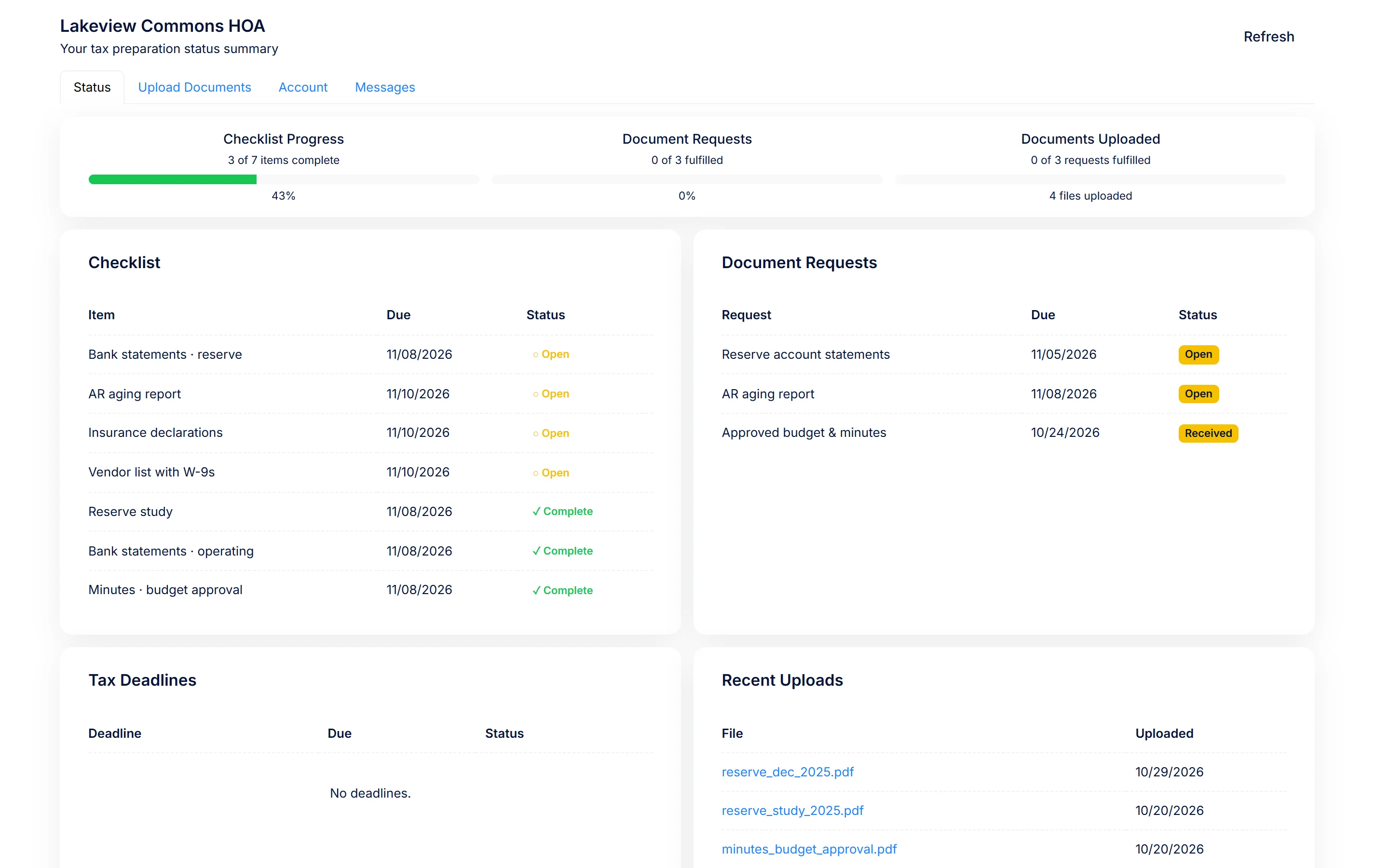
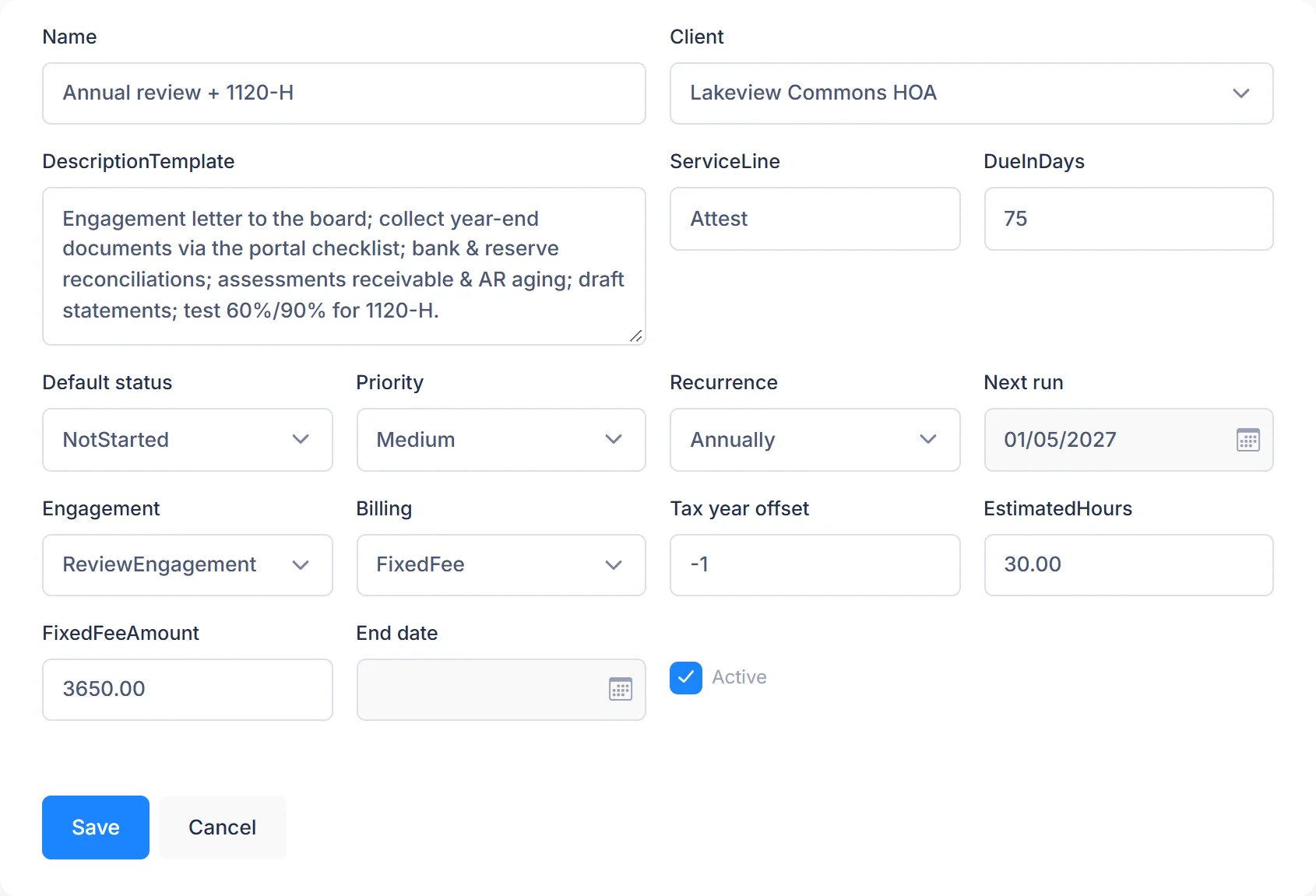
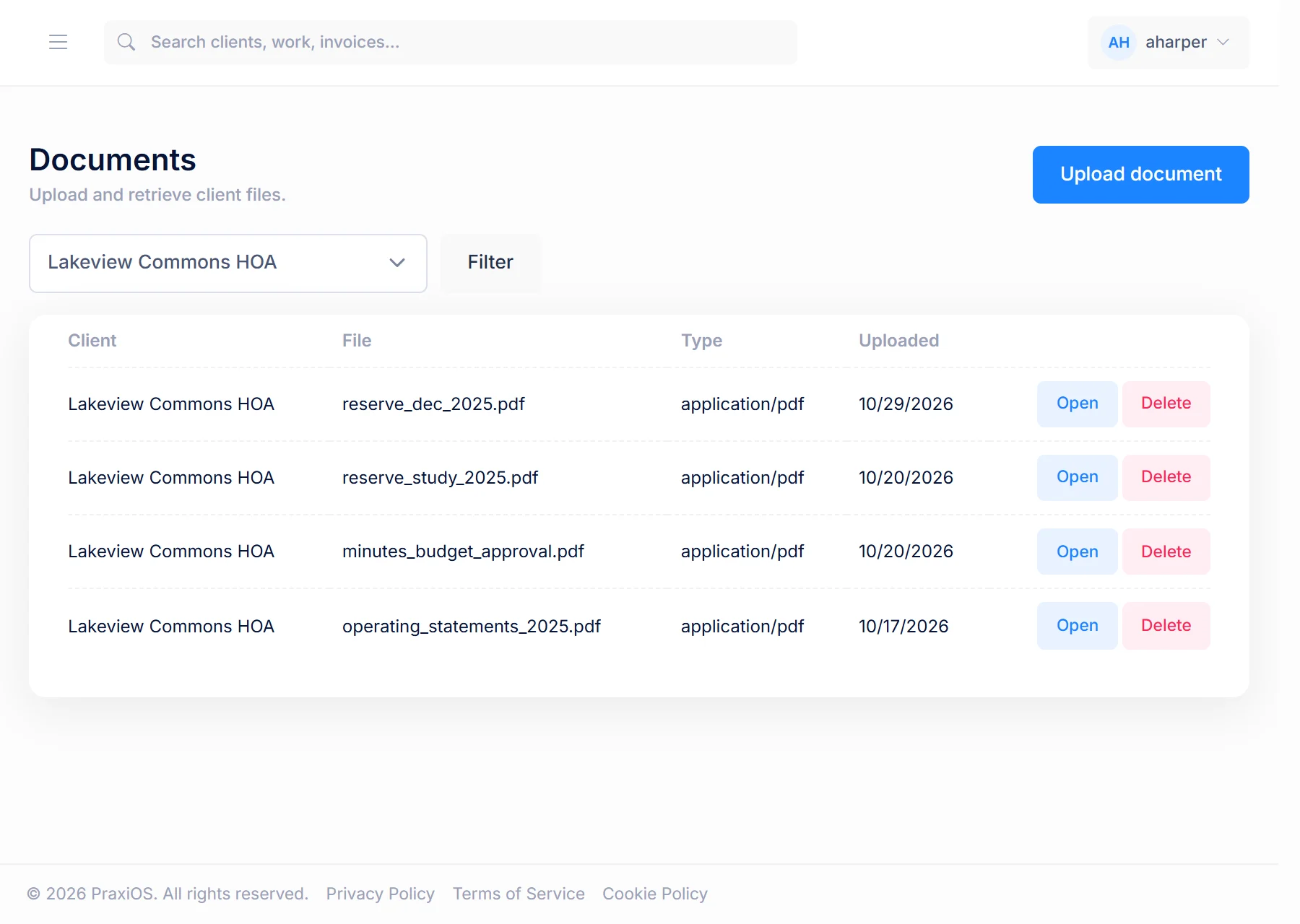
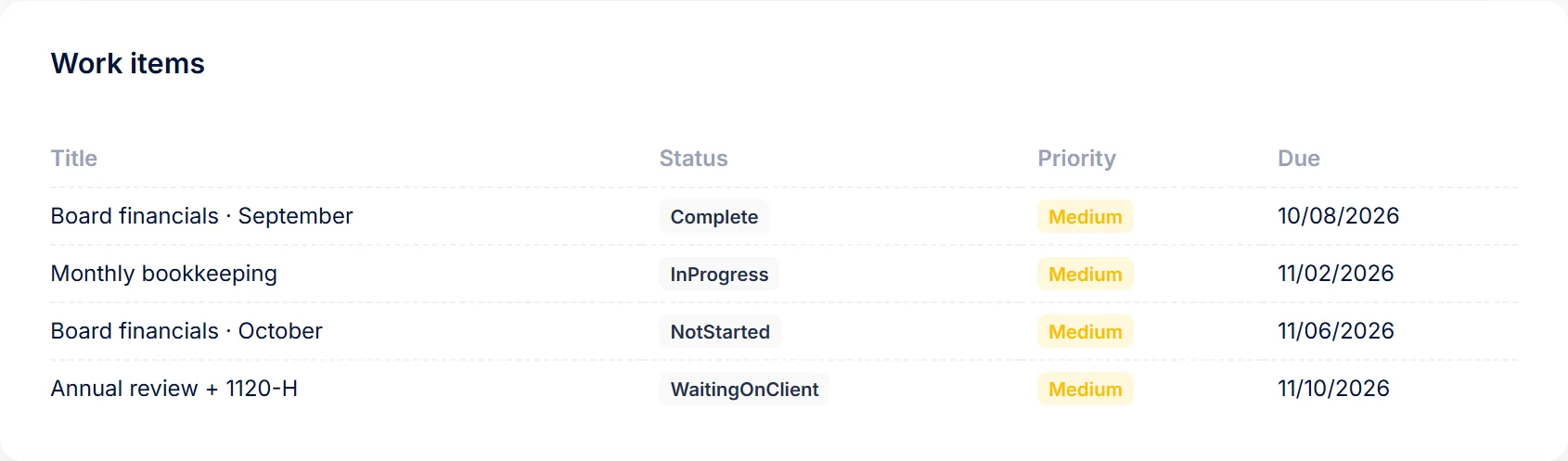
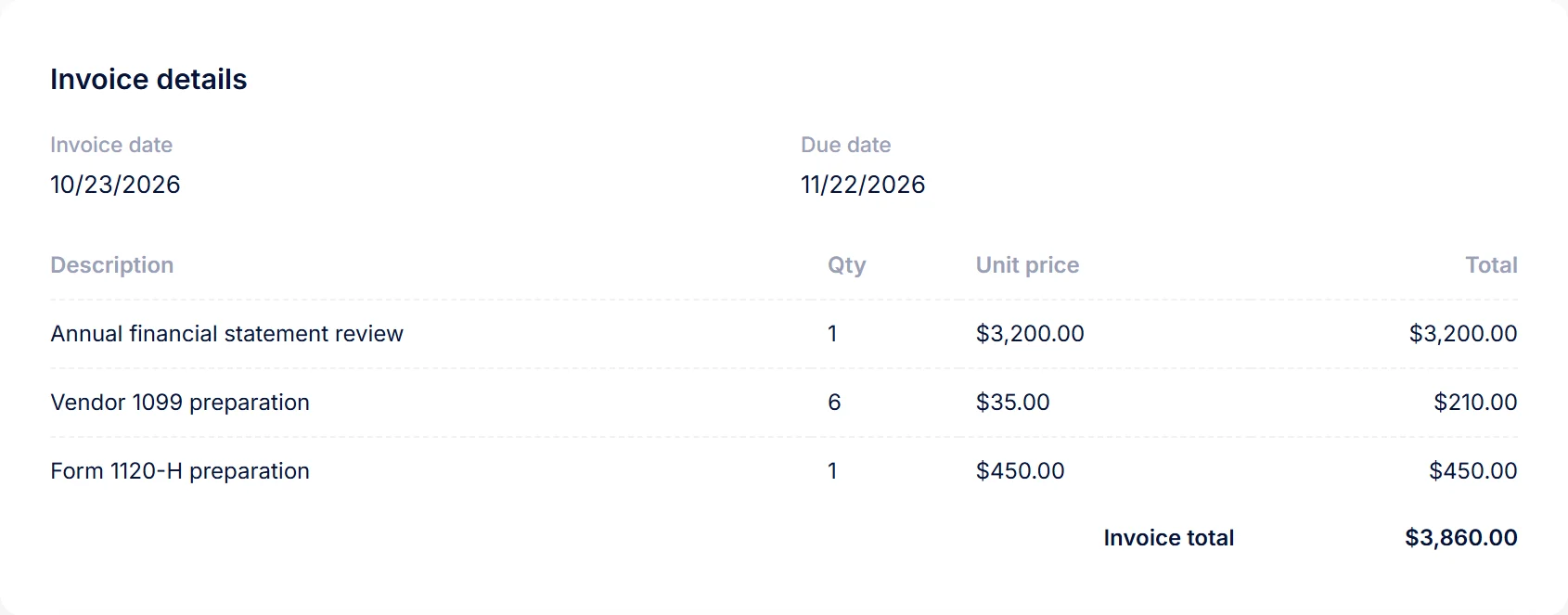
Real PraxiOS screens with demo data; names and figures are made up.
Some associations you serve may already run their per-unit dues ledgers, violations, meetings and documents in HOAOS, DomoDomu's software for HOAs. We're building a direct path for that data to reach the association's PraxiOS checklist. This connection does not exist yet — today, the board or manager uploads ledgers and reports through the portal like any other client.
FAQ
Yes. PraxiOS tracks each association engagement, such as an audit, review or compilation, a Form 1120-H return, board financials or budget help, as work created from a template, with an owner, a due date and billing on the work board, on every plan. PraxiOS doesn’t prepare the return or the financial statements; that work stays in your tax and audit software.
Through the PraxiOS client portal. Each association gets its own checklist and a secure, expiring link, so nobody on the board needs a password. PraxiOS reads uploads with OCR and links each one to the matching checklist item for your team to confirm.
Not today. PraxiOS has no integrations, QuickBooks sync or public API, so boards and managers upload ledgers and reports through the portal. A direct path from HOAOS to PraxiOS is on the roadmap.
PraxiOS is priced per firm, not per association: $299 a month for up to 5 users, $699 for up to 15 and $1,499 for up to 50, with unlimited clients and every feature on every plan. PraxiOS includes a 14-day free trial.
Get started
See PraxiOS with your association workflow, or start with a checklist you can send clients today.