 Engage
 LandlordOS
 HOAOS
 PropPay
 PraxiOS
 Books
 Field Service
 HCM
 ATS
 FormRelay
 AppOS
Circular 230
Practice before the IRS.
Engage Engagement letters
Who still needs to sign?
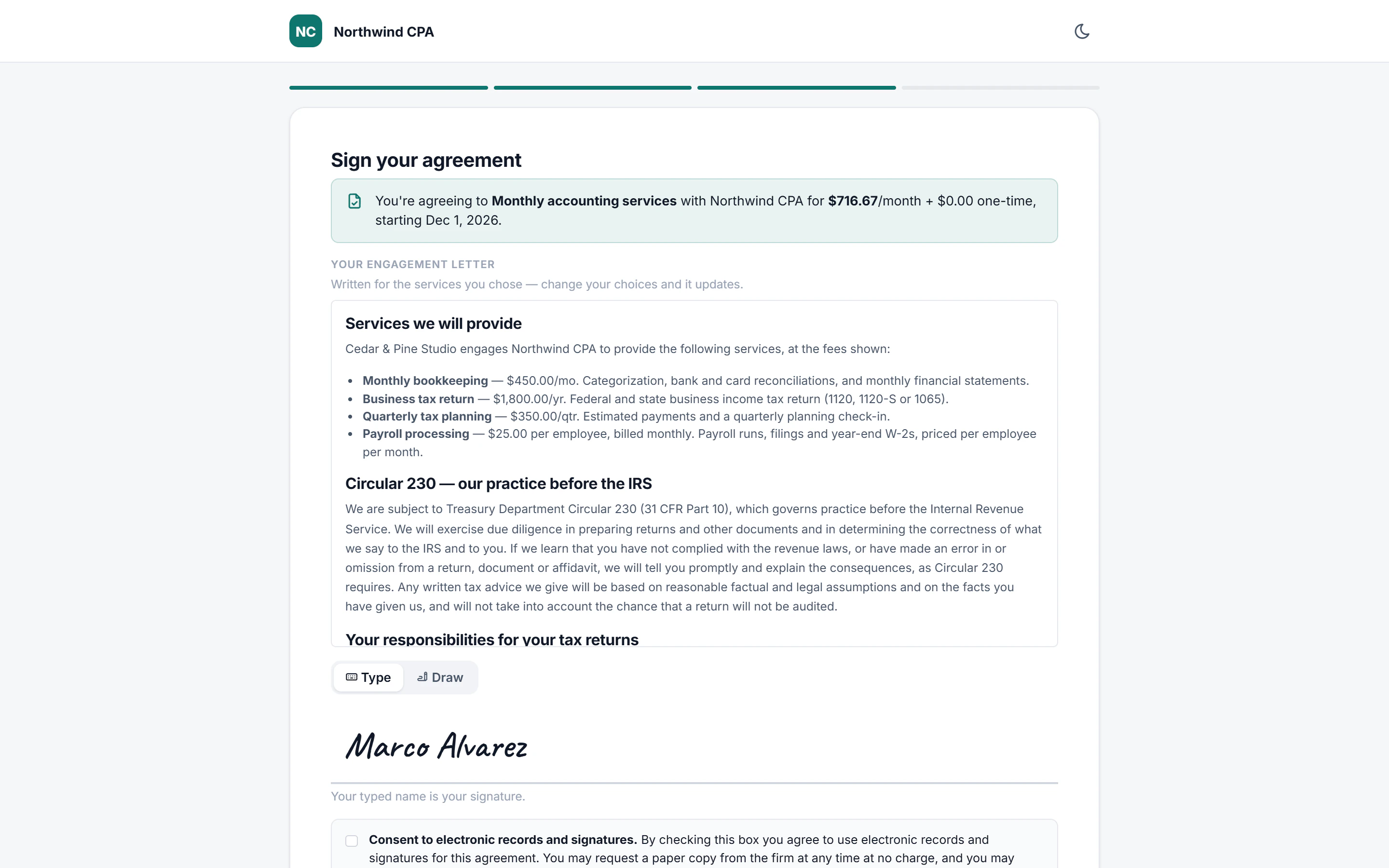
In Engage the engagement letter writes itself from the services the client accepts: each service’s scope, the clauses from your library that apply to it, then your standard terms. The client signs on the proposal page, anyone else who has to sign gets their own link in turn, and billing starts when the last person signs. For tax work, Section 7216 consent follows on its own page with its own signature.
14 days free, no card needed · From $49/mo
Demo data
Key facts
Clause library
Each clause applies to one kind of service or to every letter, so a client who takes bookkeeping and tax returns gets both sets and nothing else. Engage starts you with eight; edit their wording or add your own, and have your counsel review the language your firm uses.
Practice before the IRS.
Following the AICPA tax-services standards.
For non-attest bookkeeping work.
Who provides what, and when.
Following the AICPA consulting standards.
How long records are kept.
Email and electronic delivery.
What happens if you disagree.
Signers in order
If a later signer declines, the whole agreement is declined.
Section 7216
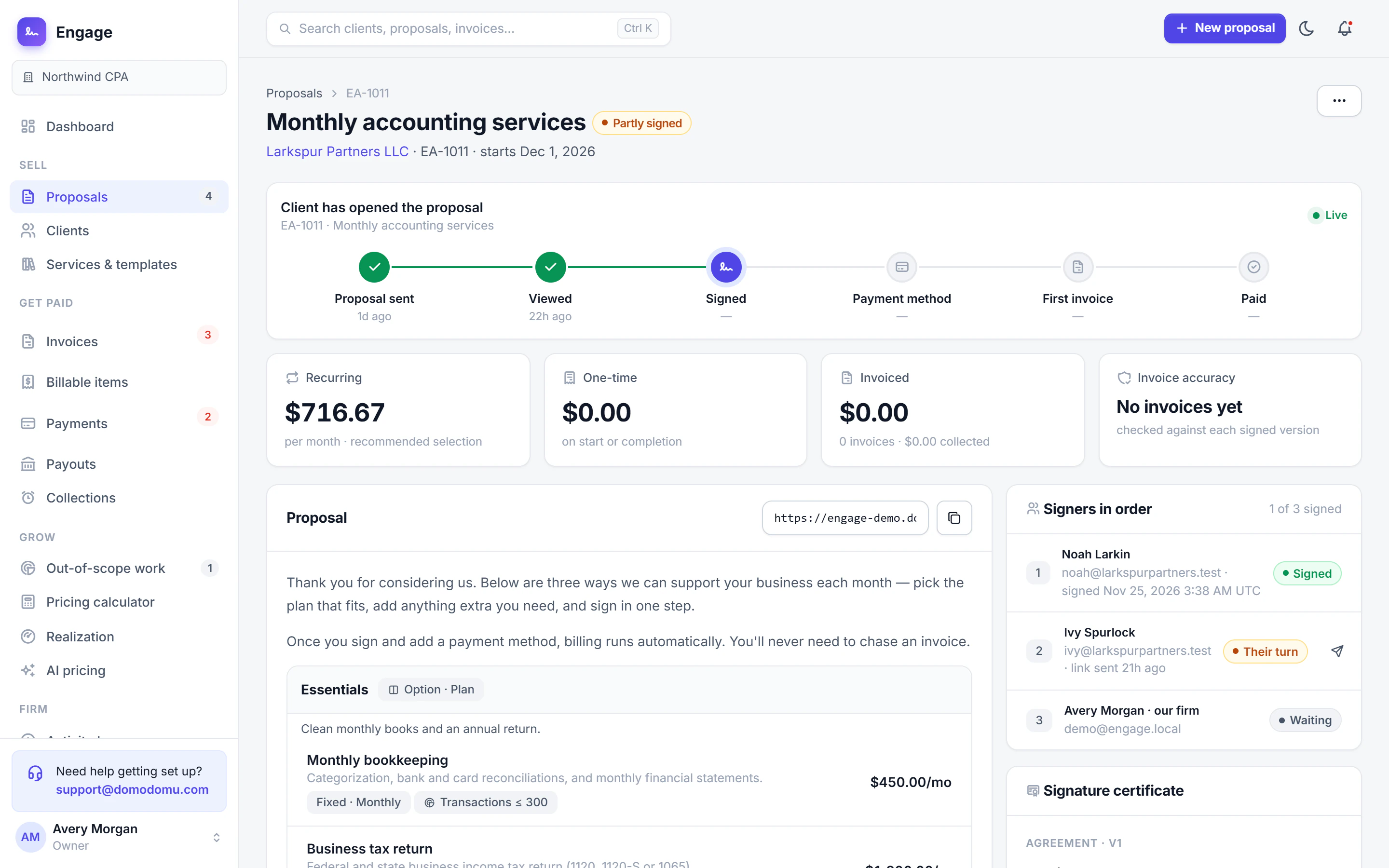
For tax engagements, consent to use or disclose tax return information comes after the engagement letter, on its own page with its own signature. Engage keeps a fingerprint of the exact text the client saw, their IP address and device, and a separate PDF of the consent. The default wording follows Rev. Proc. 2013-14, including the TIGTA contact details, and you can edit it for each proposal.
A client can decline without it affecting their engagement, and a consent is valid for one year. Renewals ask for a fresh one.
Inside Engage
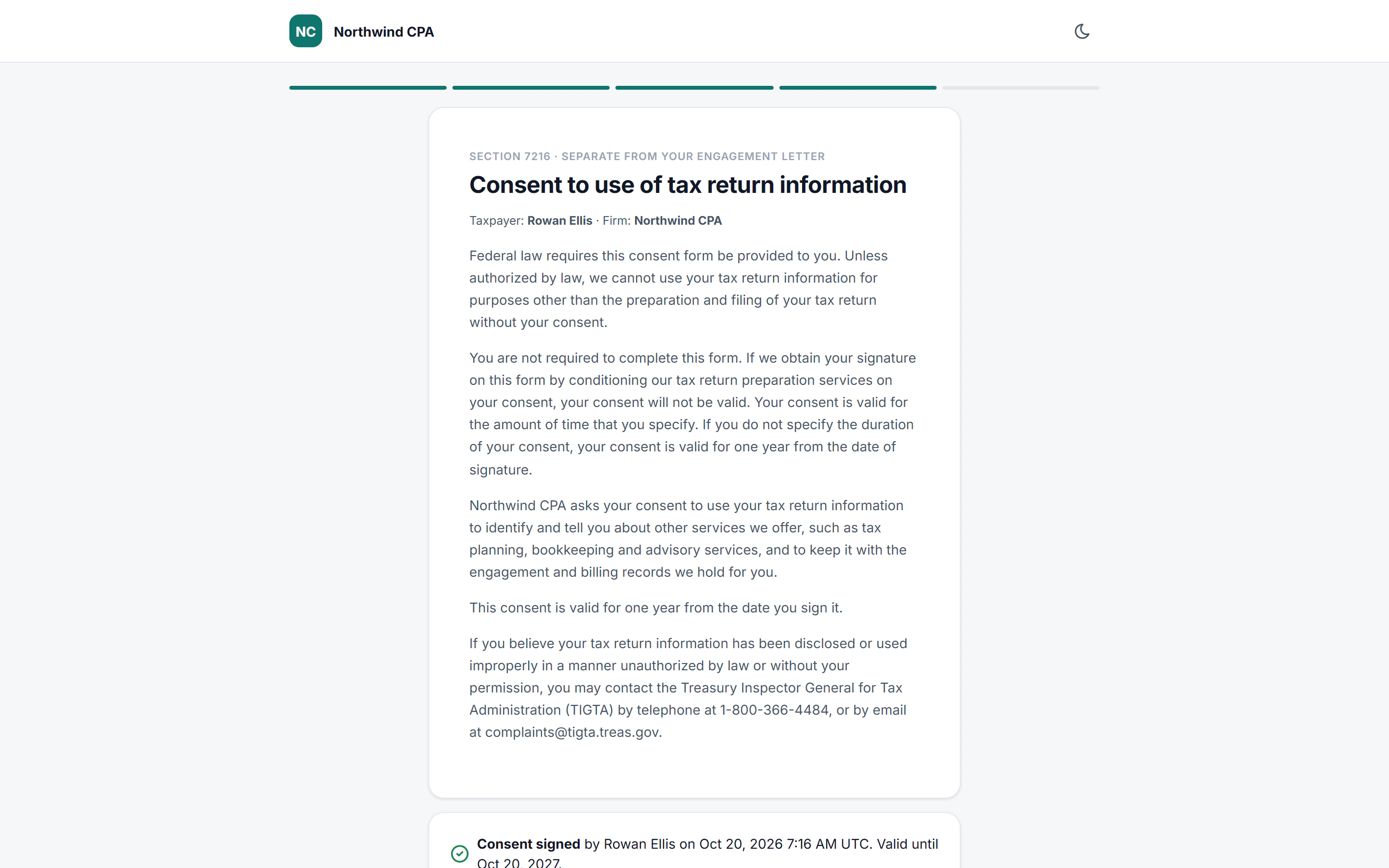
Real Engage screens, with demo data loaded. Click a screen to see it full size.
Real Engage screens with demo data; names and figures are made up.
Straight answers
If one of these is a must-have for your firm, it's better you hear it here than in week two.
It assembles it. The letter is built from the services the client accepts: each service’s scope, the clauses from your library that apply to those services, then your standard terms. If the client changes their choices, the letter changes with them.
Yes, as many as you need, in the order you set. The client signs first, and each later signer, such as a co-owner or your firm countersigning, gets their own link when it’s their turn. Billing starts when the last person signs.
Yes. For tax engagements, consent to use or disclose tax return information is asked for on its own page after the letter, with its own signature, record and PDF. Clients can decline without affecting their engagement, and the consent is valid for one year.
A SHA-256 fingerprint of the exact text signed, the signer’s IP address and device, the signer’s consent to sign electronically, and an audit trail. The signed PDF ends with a certificate page listing each signature.
Yes. Edit the eight starter clauses or write your own, choose which kind of service each applies to, and set your standard terms. Have your counsel review the wording your firm relies on.
Keep exploring Engage
Get started
Build it from your services, send it, and let billing start when the last signature lands.
Switching from Ignition or Anchor? We’ll move your clients for you, free.