What FormRelay does
What does FormRelay do
for a business website?
FormRelay covers four parts of a website’s forms: getting each lead to the right person, keeping every one of them, keeping spam out, and handing them to the tools your team already uses.
01 / EmailEvery plan
Every lead in the right inbox.
Each submission is emailed to the addresses that confirmed they want it, under your own subject line, with Reply-To set to the person who filled in the form. Routing rules send sales leads to sales and support requests to support.
- Several confirmed recipients per form
- Your own subject, sender name and layout
- File uploads and an automatic reply on Pro
More on email →
02 / Shared inboxEvery plan
Nothing lost quietly.
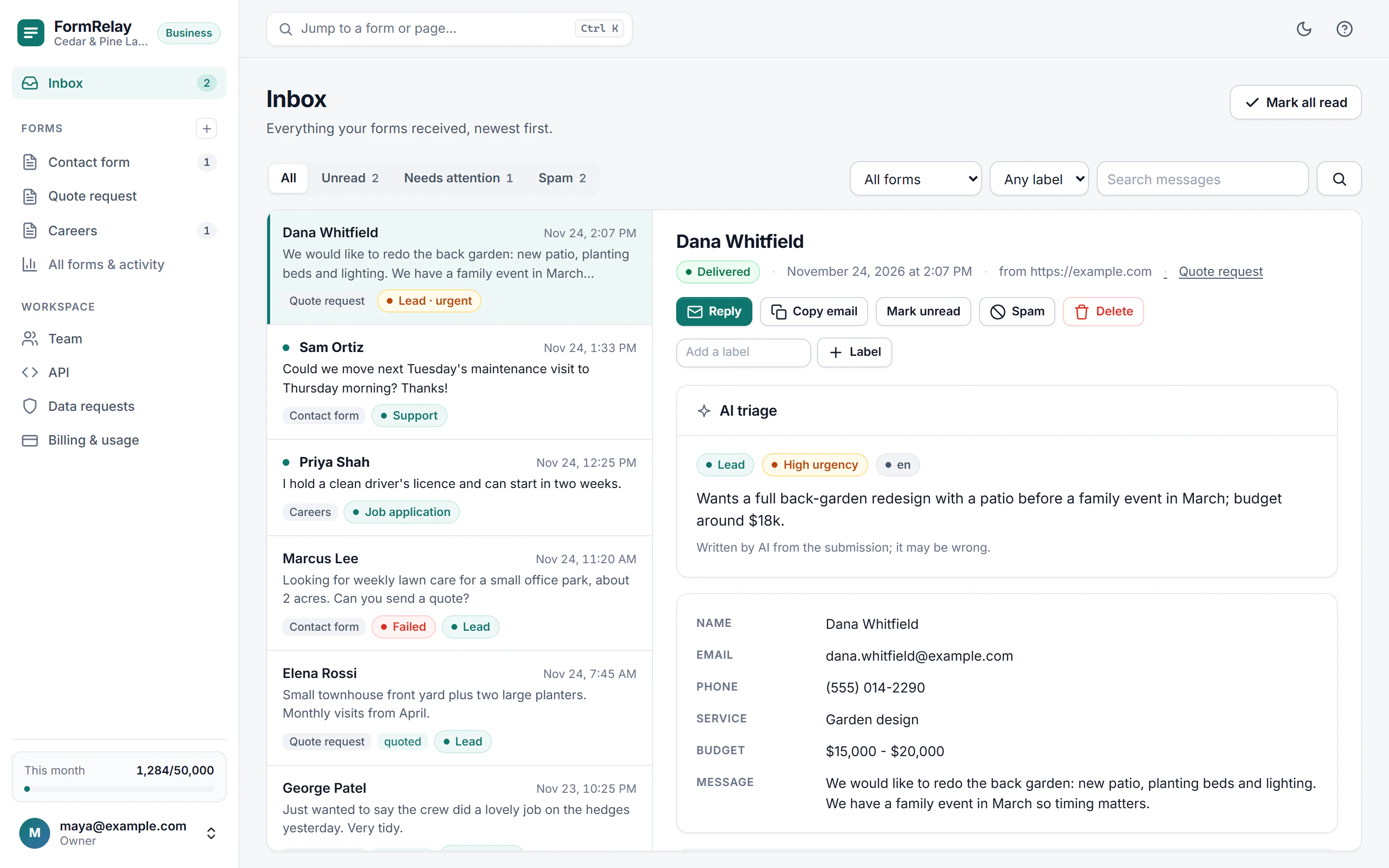
Every form’s submissions in one inbox your team shares, with unread counts, labels and search. Every email and webhook is logged and retried, and anything that still didn’t get through waits under Needs attention for Send again.
- Unread, Needs attention and Spam folders
- A delivery log for every destination
- Kept up to 30 days, or for good on Pro
More on the inbox →
03 / Spam protectionEvery plan
Spam filed away, never emailed.
A hidden spam trap, rate limits and a spam filter protect every form from the moment it’s made. Limit a form to your own site, and add Turnstile, hCaptcha or reCAPTCHA with your own keys if you want a captcha too.
- Works with no setup
- An allowed-sites list per form
- “Not spam” delivers a message caught by mistake
More on spam protection →
04 / Integrations & APISlack & Discord on every plan
Leads where your team works.
Every plan posts each submission to Slack or Discord. Pro adds what connects FormRelay to your own systems: signed JSON webhooks with retries and a replay for any delivery, Zapier, and a read-only API and MCP server for your own code or an AI assistant.
- Up to five destinations per form
- Signed webhooks with Send a test (Pro)
- An API and MCP server on the same keys (Pro)
More on integrations →
 LandlordOS
 HOAOS
 PropPay
 PraxiOS
 Engage
 Books
 Field Service
 HCM
 ATS
 FormRelay
 AppOS