 FormRelay
 LandlordOS
 HOAOS
 PropPay
 PraxiOS
 Engage
 Books
 Field Service
 HCM
 ATS
 AppOS
Subject, sender and intro
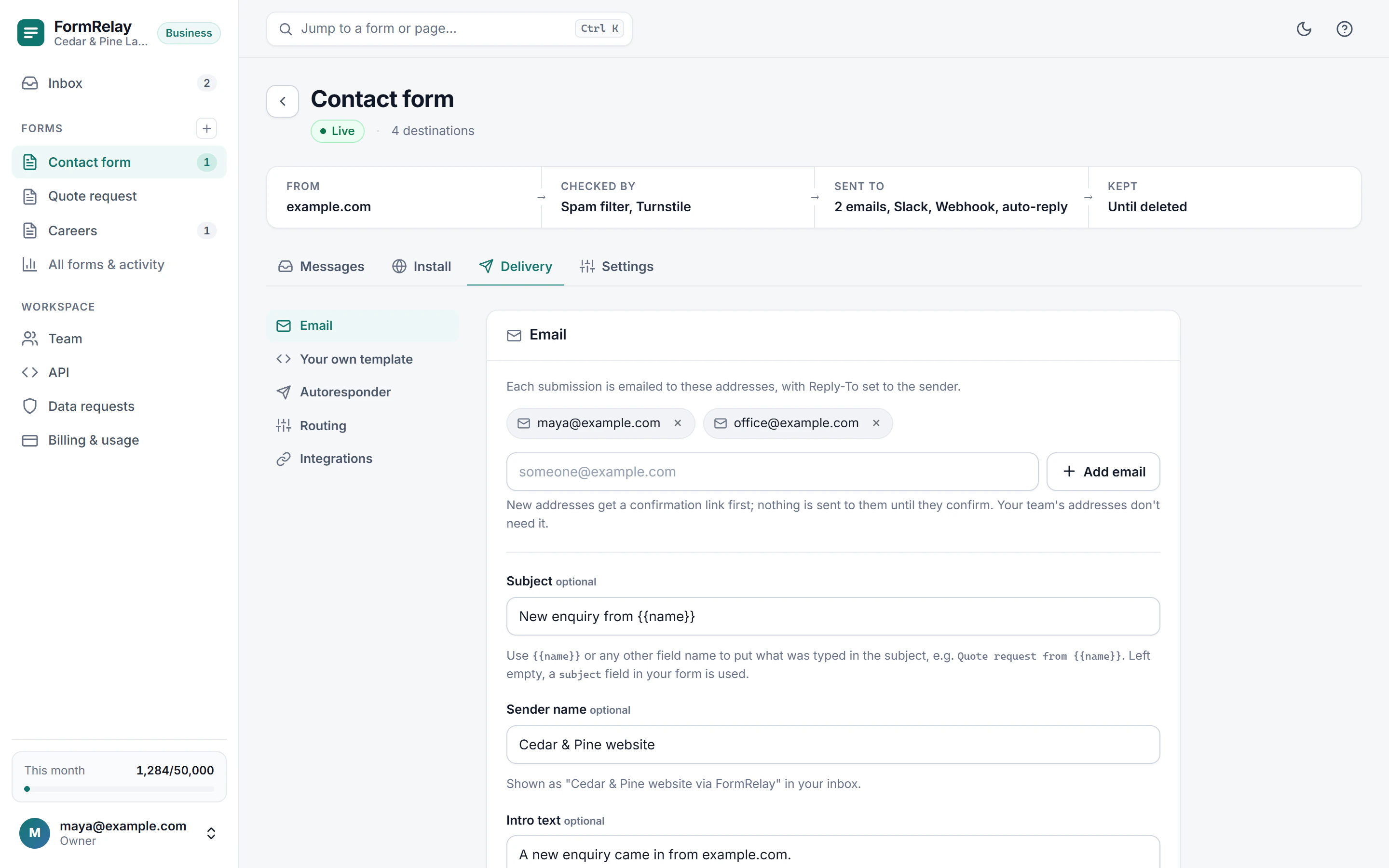
Your own subject line, sender name and the line above the fields, with {{field}} placeholders. Without them, FormRelay uses the form’s name.
FormRelay Email
Who should get your leads?
FormRelay emails each submission to the addresses that confirmed they want your form’s mail, with every field laid out under your own subject line. Replying writes straight to the person who filled in the form. On Pro and Business, files come attached and the sender gets an automatic reply you’ve written.
Demo data
Key facts
01 / Recipients
Only to addresses that clicked a confirmation link, or that belong to people on your team. Add as many as the form needs on its Delivery tab; nothing is sent to a new address until it confirms.
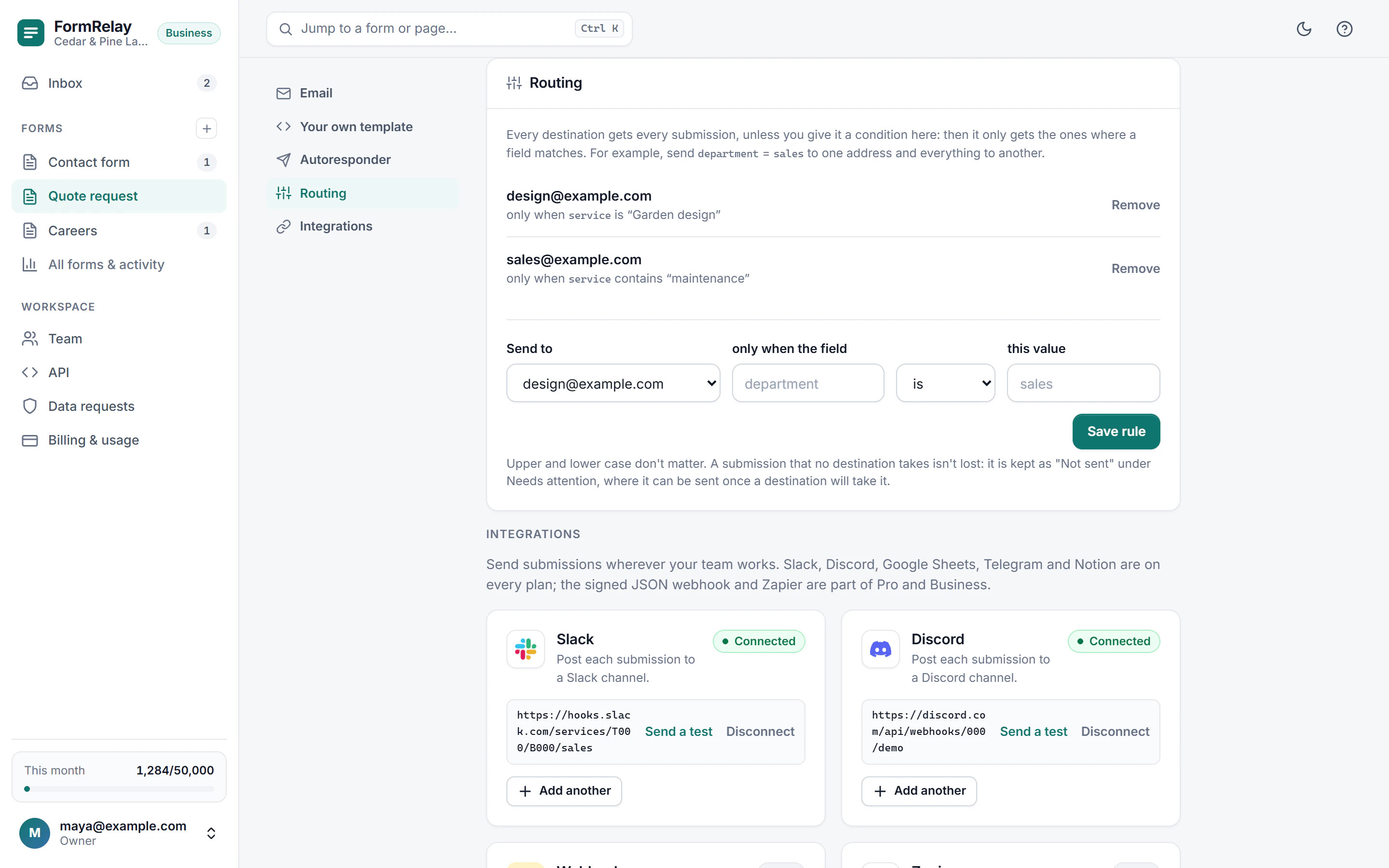
A submission can never choose where it’s sent: there’s no field that sets the recipient. That is what stops anyone from turning your form into a way to send mail to strangers. With routing rules, each address gets only the submissions meant for it.
02 / How it reads
Yes. Every part of the email can be the form’s own, and the subject and intro can include what was typed: Quote request from {{name}} becomes “Quote request from Dana Whitfield”.
Your own subject line, sender name and the line above the fields, with {{field}} placeholders. Without them, FormRelay uses the form’s name.
Standard, a card with each field beside its name; Compact, each field under its name for phones; or Plain, like a typed email.
Write the email yourself with {{fields}}, {{form_name}} and any field. It’s cleaned when saved: no scripts, forms or frames, and links only over https.
The FormRelay name, logo and link come off the notification, and “via FormRelay” off the sender name. One line still says why the reader is getting it.
Everything a visitor typed is shown as text, never as HTML, and a placeholder can’t go in a link or image address, so a sender can’t choose where a link points.
A refused send is tried again; a busy mail service doesn’t use up a try. A send that fails for good lands under Needs attention.
03 / File uploads · Pro and Business
On Pro and Business, turn on file uploads in a form’s settings and add a file field to your form. A submission can carry up to five files, 4 MB in all. Each one is checked for malware, attached to the notification email, and kept with the message to download from the inbox or the API.
Programs and scripts are refused when the form is sent. A file that fails the malware check is removed and never attached, and the email says so. Files are stored privately, never at a public address, and are erased with the message’s contents.
04 / Autoresponder · Pro and Business
Yes. Write a subject and a plain-text message, and FormRelay sends it to the address in the form’s email field, so people know their message arrived. Replies to it come to the form’s first recipient.
So nobody can use your form to send email to strangers. FormRelay only emails addresses that clicked a confirmation link or belong to your team, and a submission can never choose where it goes.
A FormRelay address, with your form’s name (or your own sender name) on it and Reply-To set to the person who filled in the form. Sending from your own domain isn’t available yet; that holds for white-label emails too.
Yes. Write a field’s name in double braces in the saved subject or intro text, such as Quote request from {{name}}. A placeholder for a field the submission doesn’t have is left out.
Up to five files and 4 MB in all per submission, on the Pro and Business plans. Programs and scripts are refused, and every file is checked for malware before it’s attached or downloaded.
No. The autoresponder, file uploads and your own HTML template are part of Pro and Business. Layouts and your own subject, sender name and intro text are on every plan.
Keep exploring FormRelay
Get started
Sign up free, confirm your address and paste the snippet.