 FormRelay
 LandlordOS
 HOAOS
 PropPay
 PraxiOS
 Engage
 Books
 Field Service
 HCM
 ATS
 AppOS
FormRelay Shared inbox
A shared inbox for every form on your site.
Where do your leads go?
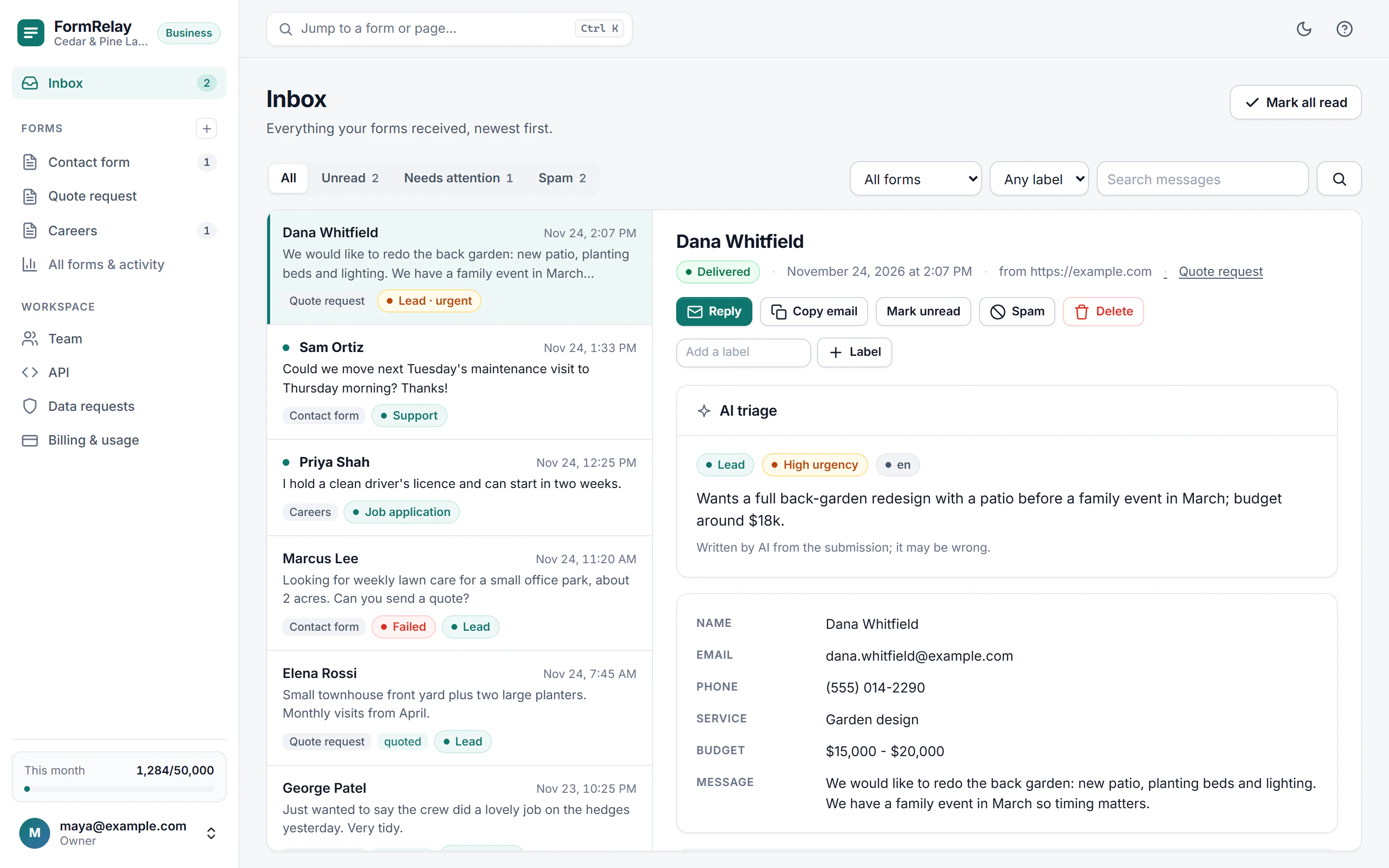
FormRelay keeps every form’s submissions in one inbox your team shares, newest first, as a mail client shows them. Unread counts, labels and search are shared, every email and webhook is logged, and anything that didn’t get through waits under Needs attention until someone sends it again.
- One inbox for every form
- Nothing lost quietly
- Routing rules per destination
Demo data
Key facts
- Folders
- All, Unread, Needs attention, SpamOr one form at a time, with search across what was typed
- Labels
- Your team’s own wordsUp to eight on a message, with a filter in the inbox and in the API
- Delivery log
- Every destinationEach email and webhook with its status, attempts and any error
- Routing rules
- Per address or webhookA field that is, or contains, a value decides who gets it
- Kept for
- 30 days, forever or not at allForever on Pro and Business. Set per form. Export a form’s messages as CSV at any time
- Plans
- Every planIncluding Free
01 / The inbox
What does the FormRelay inbox show?
Every form’s submissions in one list, newest first: who sent it, the start of the message, which form, and when. A status shows only when something is wrong. Open a message to read every field beside the list on a wide screen, or in place of it on a phone.
Read and unread are shared by the team, so a lead one person has answered stops looking new to everyone else. Search finds what was typed, accents included. Labels are your team’s own words, such as quoted or follow up.
- All, Unread, Needs attention and Spam folders, or one form
- Mark read or unread, or mark everything read
- Labels on messages, and a filter for each one
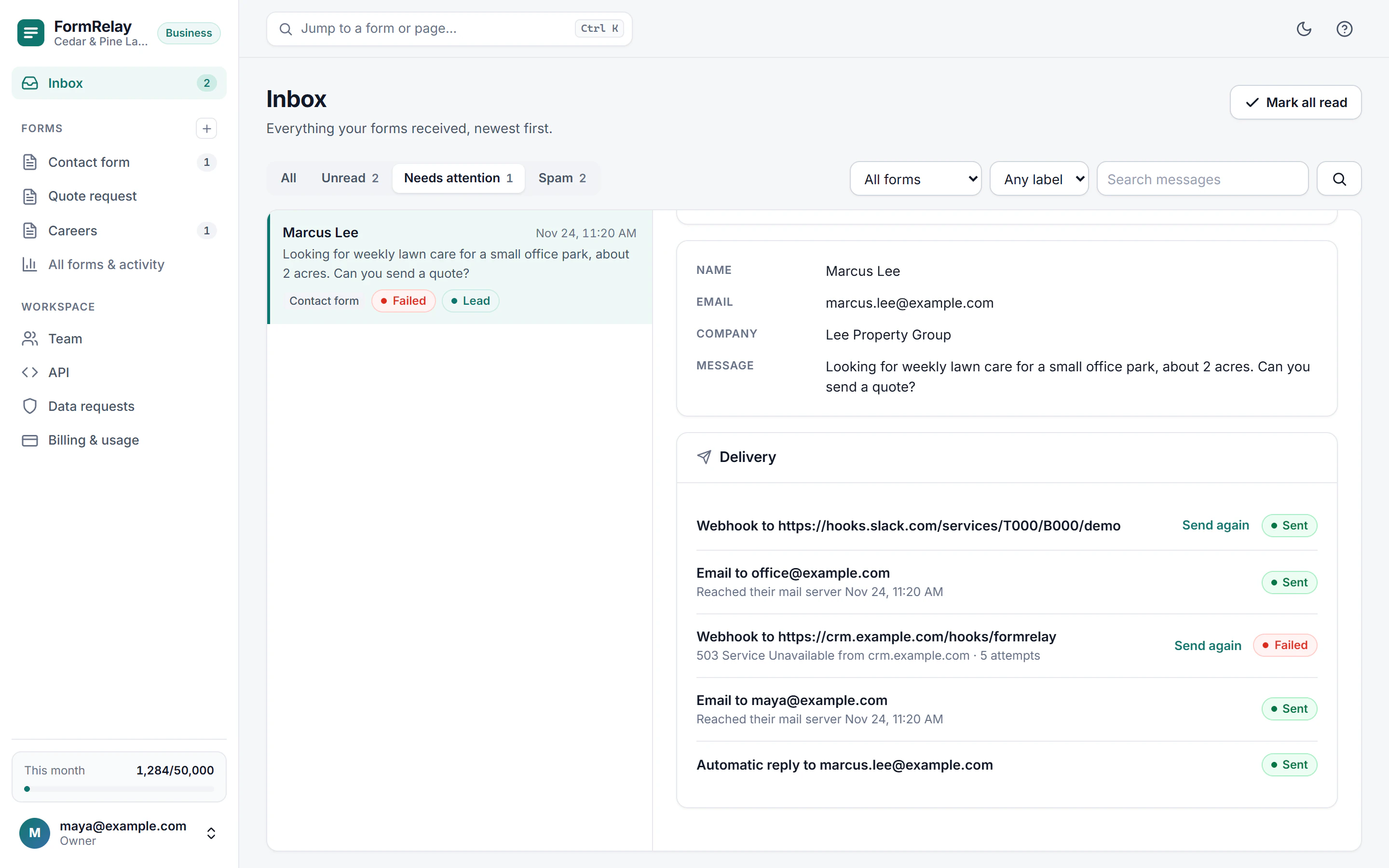
- A form’s messages as a CSV file, with a column per field
02 / Nothing lost quietly
What happens when a submission can’t be delivered?
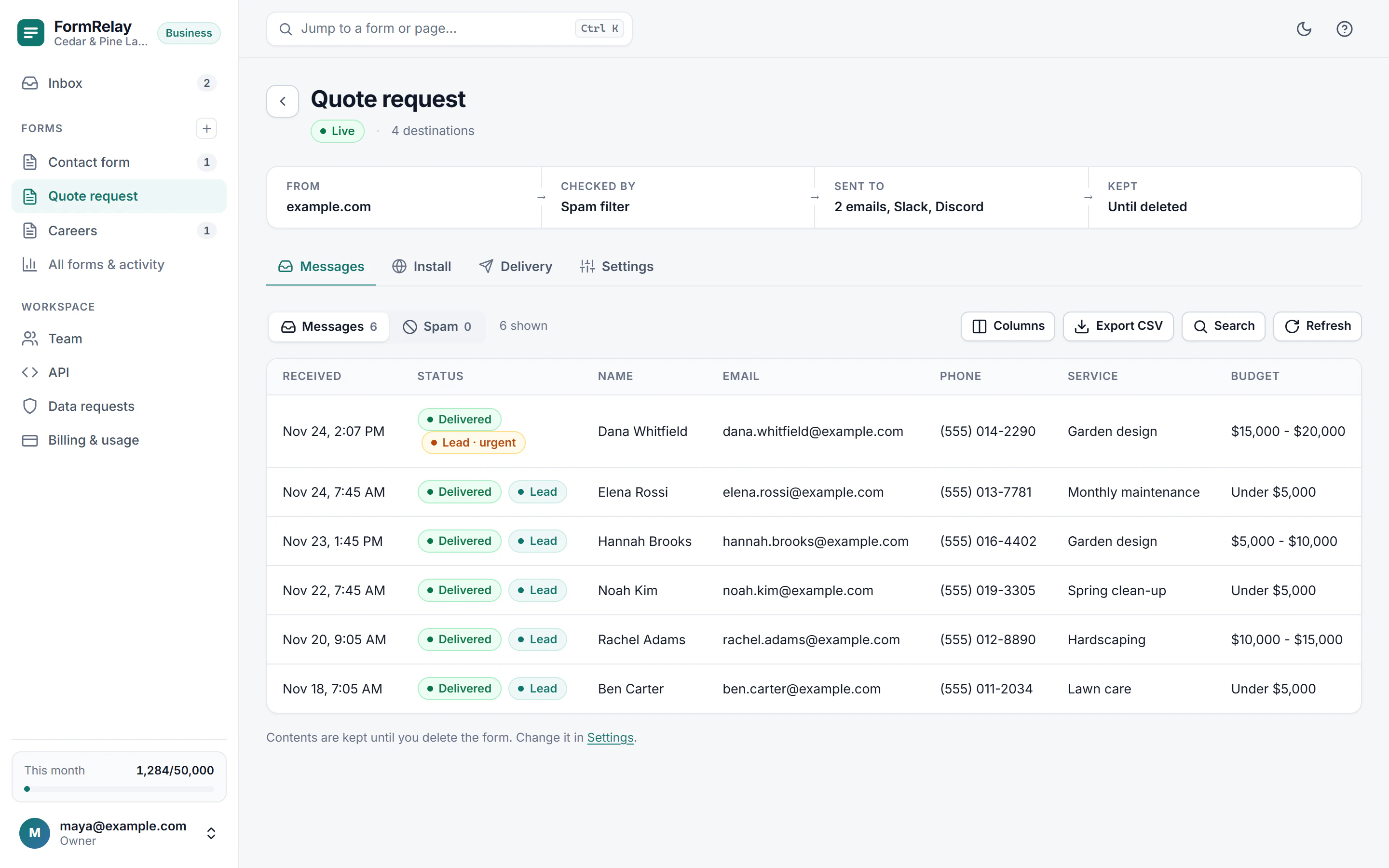
Each message keeps a delivery log: every email address and webhook it went to, with its status, how many attempts it took and any error. A mail service or webhook that is down is tried again on its own. One that still fails is marked failed, and the message moves to Needs attention, with its contents kept even on a form set to keep nothing.
Send again retries only the destinations that failed, and adds any you’ve set up since. A message the spam filter caught by mistake is one click away: Not spam moves it to the inbox and delivers it like any other.
03 / Routing rules
How do I send each lead to the right person?
Every destination gets every submission until you give it a rule. A rule names a field, a comparison and a value, so a destination only gets the submissions that match.
- Example
- department is salesGoes to sales@ and the #sales Slack channel
- Example
- message contains invoiceGoes to the accounts address
- Comparisons
- Is, or containsUpper and lower case don’t matter, in the field’s name or the value
- Where rules go
- Addresses and webhooksA confirmed email address, Slack, Discord or a JSON webhook. One rule each
04 / Your data
How long does FormRelay keep submissions?
You choose, per form. Clearing removes what was typed and keeps a record that a submission arrived and where it was sent.
- For 30 days
- The defaultContents are cleared 30 days after the submission arrived
- Until you delete it
- KeptUntil you delete the message or the form
- Email only
- Not keptCleared once every email and webhook was sent. Anything undelivered is kept so it isn’t lost
- Data requests
- One sender, every formDownload or delete everything kept from one email address, when someone asks
- Deleting
- A message, a form or the workspaceDeleting the workspace deletes every form and submission in it
- Visitors’ IP addresses
- Never storedOnly a one-way hash, used to limit abuse
Do I have to use the FormRelay inbox?+
No. You can work from your email and set a form to keep nothing: submissions are cleared once they’ve been delivered. The inbox still shows that each one arrived and where it went, and anything that couldn’t be delivered is kept until it is.
What does Needs attention mean in FormRelay?+
A message whose delivery failed for good, or that no destination took because no routing rule matched. It stays there, with its contents, until someone uses Send again. It doesn’t depend on whether the message has been read.
Can I export my FormRelay submissions?+
Yes. Each form’s Messages tab exports its kept messages as a CSV file with a column per field. The read-only API returns them as JSON too.
Can someone ask me to delete what they sent through my form?+
Yes, and the workspace owner can answer from the Data requests page: enter the person’s email address to find every kept message from them across all your forms, then download them as one JSON file or delete them all.
Does deleting a message in FormRelay delete the email that was sent?+
No. FormRelay’s retention and deleting cover its own copy. An email that was sent, or a message posted to Slack, stays where it is.
Keep exploring FormRelay
Get started
Every lead,
in one place.
Sign up free, confirm your address and paste the snippet. The inbox is on every plan.