PraxiOS For real estate accountants

Rental clients,
sorted by property.

If your practice is CPAs, EAs or bookkeepers whose clients own rental property, spring means Schedule E after Schedule E — each one waiting on a 1098, a tax bill and a shoebox of receipts. PraxiOS gives you one board for those engagements, a client portal that recognizes what landlords upload, and checklists and billing that live on each client.

  • Tax preparers with Schedule E clients
  • Bookkeepers for small landlords
  • Firms with a real estate niche

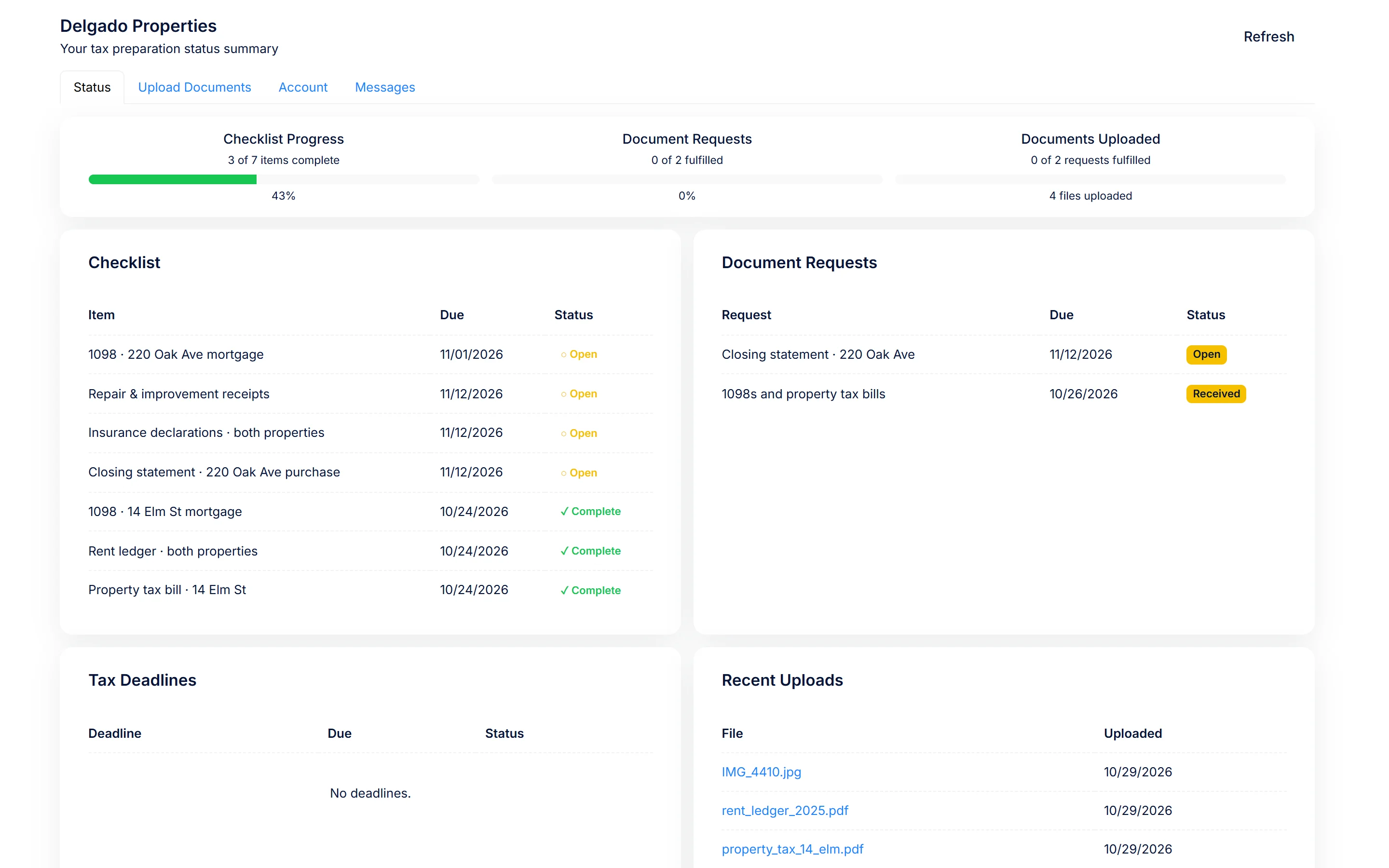
Example PraxiOS client portal checklist for a rental client: four of seven items received, including a 1098 and a property tax bill, a closing statement still needed, and a just-uploaded photo recognized as a Form 1098 and matched to its checklist item for the team to confirm.

How it works today

A rental practice,
set up in PraxiOS.

Everything on this page uses features available on every PraxiOS plan right now. Your clients don't need to use any particular landlord software.

01 / Schedule E engagement template

Build the rental return once. Reuse it for every landlord.

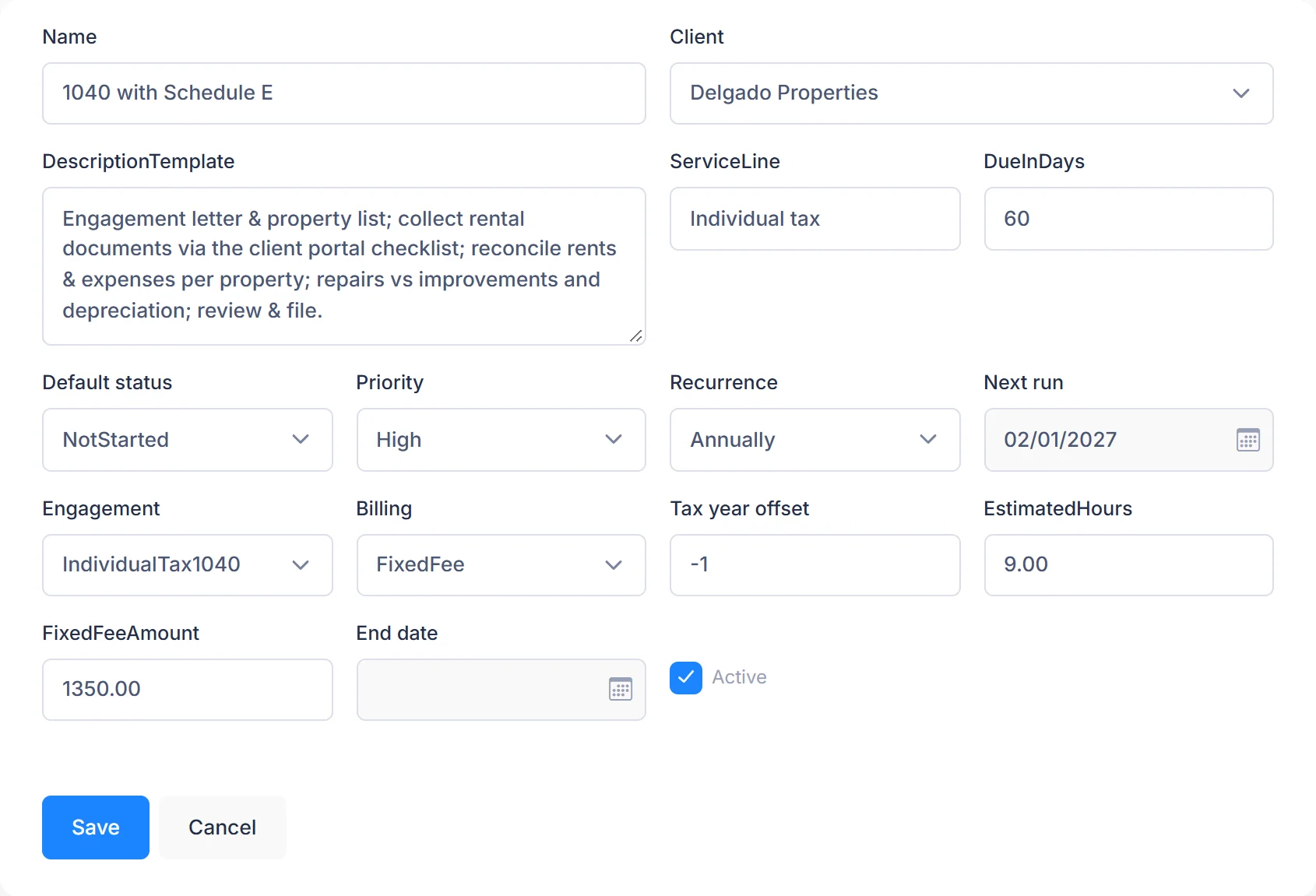
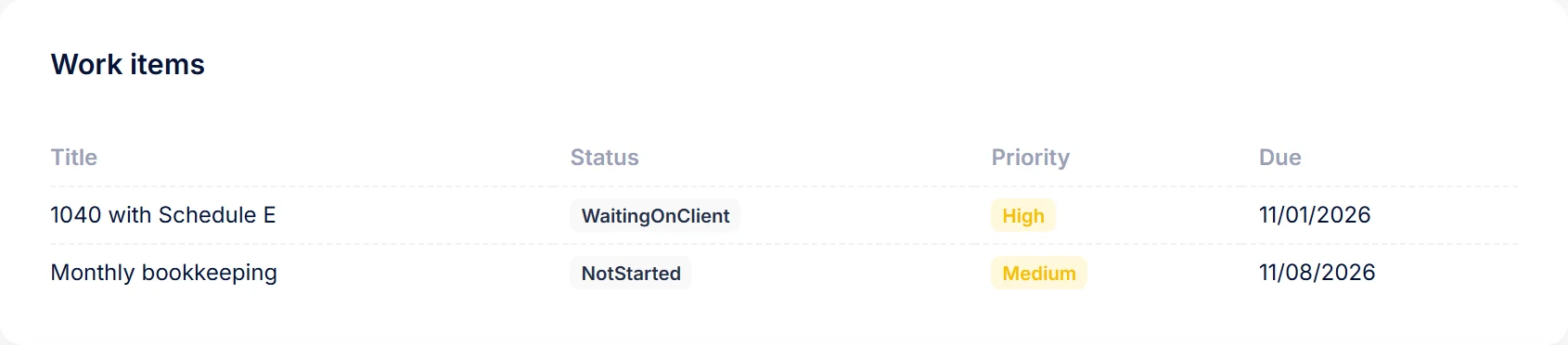
Create a work template for an individual return with rental activity: engagement letter, document collection, rent and expense review, depreciation, preparation, review, filing. Each new client engagement starts from the template, with the title, engagement type, billing and due date filled in, then moves across the work board with an owner on every step.

  • Work templates for repeatable engagements
  • To-dos and comment threads on every job
  • Teams to organize the staff who serve rental clients

02 / Rental-client document checklist

Landlords see exactly what's missing, property by property.

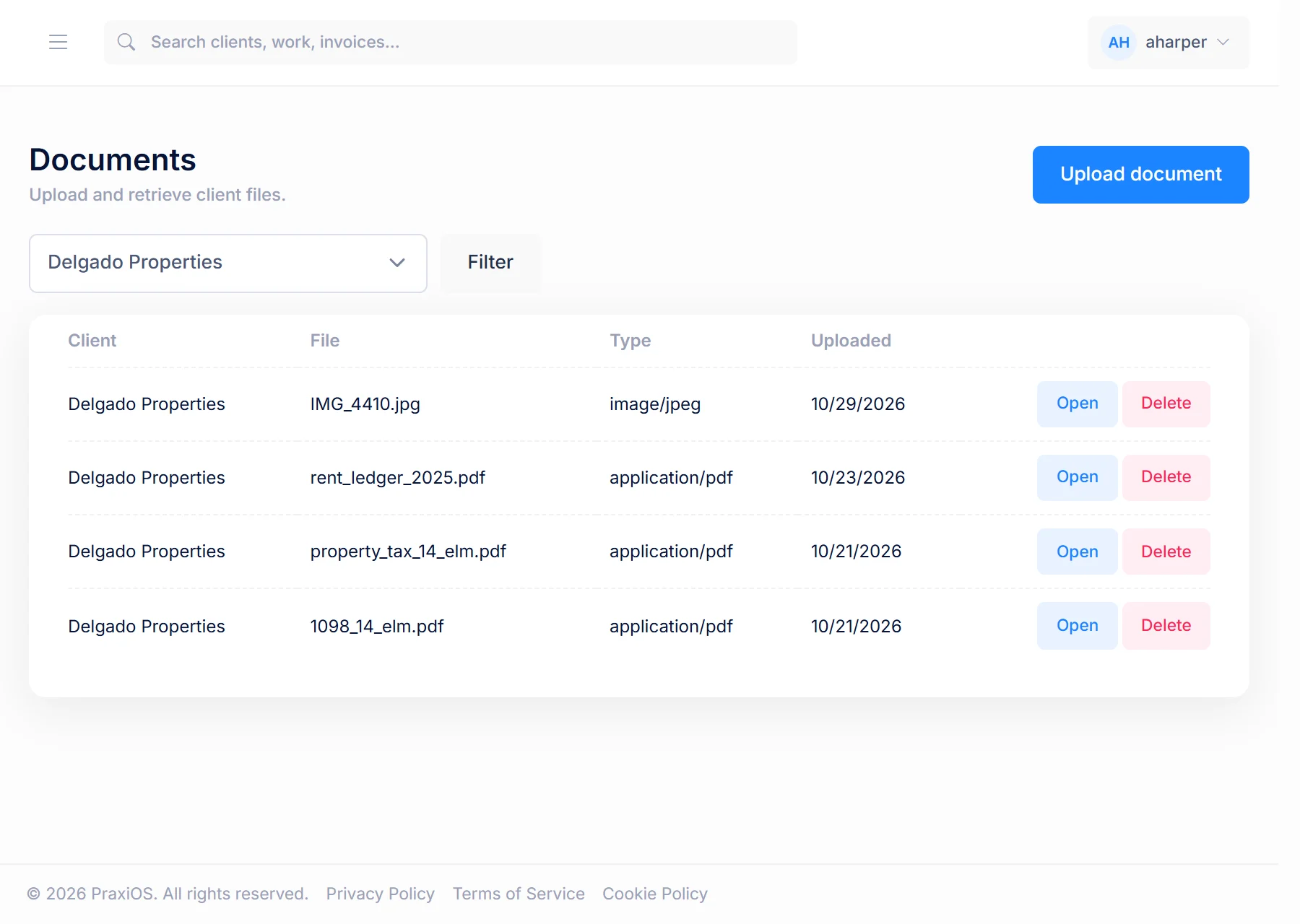
Give each rental client a checklist and send them a secure portal link — no password to set up. They upload from a phone or computer, and PraxiOS uses OCR to recognize common documents (1098s, 1099s, W-2s, K-1s, bank statements, receipts) and link each to the matching checklist item for your team to confirm. A typical rental checklist covers:

  • Form 1098 mortgage interest statements, per loan
  • Form 1099-MISC (rents) or 1099-K (payment platforms), where the client received them
  • Property tax bills and insurance declarations
  • Repair and improvement receipts, kept separate
  • Closing statements for any purchase or sale
  • Prior depreciation schedules, rent rolls and rent ledgers

03 / Recurring bookkeeping & document requests

Monthly books build themselves. Year-end paperwork on request.

For landlords you keep books for, set up recurring work — monthly or quarterly bookkeeping appears on the board on schedule without anyone creating it. At year end, document requests with due dates ask each landlord for what's missing, and PraxiOS emails your staff when a request is due soon or overdue.

  • Recurring monthly or quarterly bookkeeping
  • Per-client checklists for rental documents
  • Document requests with due dates and reminders
  • A firm-wide dashboard of open and overdue work

04 / Billing per property or per return

Price the way rental work actually scales.

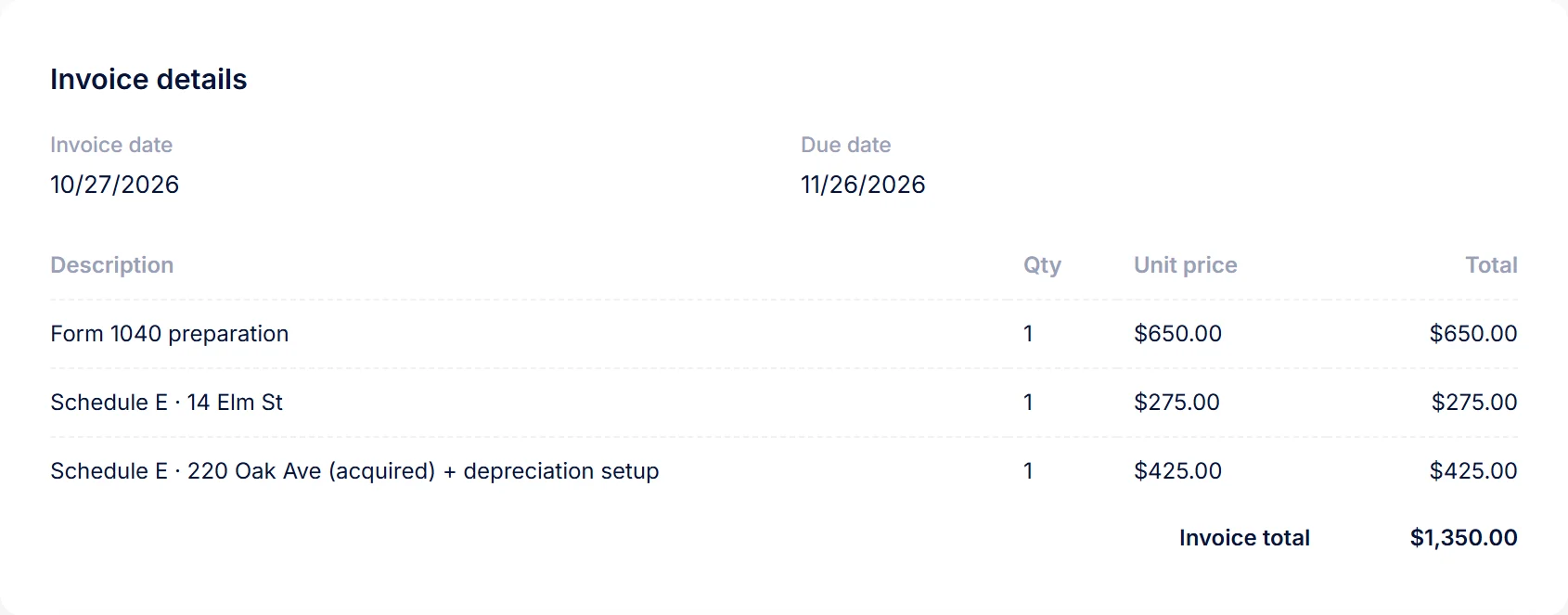
Rental returns get more work with every door. Build invoices with as many line items as you need — a base return fee plus a line per property, or one fixed fee per return. A yearly budget per client shows when invoicing runs past what you planned, and payments are recorded against each invoice.

  • Multi-line invoices and payment recording
  • Invoices with as many line items as you need
  • Client budgets and filterable billing reports

Form details above are general federal information for calendar-year individual taxpayers, not tax advice. Fiscal-year filers, disaster relief postponements and state rules can change dates. See IRS Publication 527 (residential rental property) and the IRS estimated tax FAQ.

Inside PraxiOS

See it in the app.

Real PraxiOS screens, with demo data loaded.

Real PraxiOS screens with demo data; names and figures are made up.

LandlordOS + PraxiOSRoadmap

Clients on LandlordOS share year-end books straight into your portal.

Some of your landlord clients may already track rent, leases and income & expenses per property in LandlordOS, DomoDomu's software for independent landlords. We're building a direct path for that year-end data to reach their PraxiOS checklist. This connection does not exist yet — today, landlords upload exports and documents through the portal like any other client.

Planned flow
1Landlord records income and expenses per property in LandlordOS during the year.
2At year-end, they choose to share the books with their accountant.
3The data lands on that client's checklist in your PraxiOS portal, ready for Schedule E.
Good to knowPraxiOS doesn't include e-signature, a time-entry screen, QuickBooks sync, integrations or a public API today. Engagement letters and bookkeeping files move through your existing tools and the portal's document uploads. Compare PraxiOS with other practice tools.

FAQ

Questions from real estate accountants.

Can PraxiOS handle Schedule E clients with several properties?+

Yes. In PraxiOS you build a work template for a return with rental activity once, start each client’s engagement from it, and give each client a checklist that lists documents property by property, such as a Form 1098 for each loan and a tax bill for each property.

Do my landlord clients need to use particular software with PraxiOS?+

No. Any client can use the PraxiOS portal from a secure link, with no password, and upload from a phone or computer. Clients who use LandlordOS will later be able to share year-end books directly, but that connection doesn’t exist yet.

Which documents does PraxiOS recognize?+

PraxiOS uses OCR to recognize common documents, including 1098s, 1099s, W-2s, K-1s, bank statements and receipts, and links each to the matching checklist item for your team to confirm.

Does PraxiOS do the bookkeeping or prepare the return?+

No. PraxiOS manages the work, the documents and the billing around them: recurring monthly or quarterly bookkeeping appears on the board on schedule, and document requests chase what’s missing. The books and the return stay in your bookkeeping and tax software, and PraxiOS doesn’t include e-signature, a time-entry screen or QuickBooks sync.

Get started

Make this the spring the 1098s come to you.

See PraxiOS with your rental workflow, or start with the checklist you can send clients today.