 HOAOS
HOAOS LandlordOS
 PraxiOS
Trial balance, balance sheet, income statement
Accrual or cash basis, plus account activity. CSV export.
HOAOS Dues & payments
HOAOS is HOA dues collection software that keeps a ledger for every unit and lets owners pay online. It adds late fees on its own and takes payments by bank transfer or card, with the money settling in the association's own Stripe account. Every charge and payment also posts to a double-entry general ledger the treasurer can reconcile against the bank.
Example HOAOS unit ledger: August dues paid, September dues pending by bank transfer, October dues overdue with a $25 late fee, $375 balance due.
Key facts
01 / Assessments
You set up an assessment schedule once, then generate each period's charges with one click. A schedule has a name, an amount, a frequency (monthly, quarterly or annual), the day of the period it's due, a grace period and a late fee. When you choose Generate charges, HOAOS adds that charge to the ledger of every active unit.
Special assessments are separate: give one a name, amount, reason and due date, apply it to every unit or just some, and split it into installments if owners need a payment plan. HOAOS shows each unit's status as unpaid, partial or paid.
02 / Online payments
Owners sign in to the resident portal, open Pay Dues, enter an amount and pay by bank account or card on a Stripe checkout page. The payment is a direct charge on the association's own Stripe account and settles in the association's bank account; HOAOS never holds the money. The payment posts to the unit's ledger on its own.
A bank payment counts toward the owner's balance as Pending from the day it starts, so no late fee lands while it clears. Owners can also link a bank account and turn on auto-pay: on the day of the month the board picks, HOAOS debits their full balance. After three failed debits in a row, auto-pay turns itself off and the owner is emailed.
Payments in HOAOS
03 / Late fees & delinquency
Late fees are automatic. Each night HOAOS checks every schedule that has a late fee, and once a charge is past its grace period and still unpaid, it adds the fee, flat or a percentage, once per overdue charge. Seven days before an assessment is due, owners get an email reminder.
For owners who stay behind, the board opens a delinquency case for the unit. HOAOS emails the first notice, then moves the case from First notice to Second notice to Collections after the number of days you set (30 and 60 by default), or the board advances or resolves it by hand. At collections, you record the lien referral with the attorney's contact details and notes.
04 / Accounting
Real books. HOAOS keeps a double-entry general ledger with a standard HOA chart of accounts for operating and reserve funds. Every charge, payment and reserve transaction posts a balanced journal entry automatically, and later changes post only the difference, so old entries are never edited. Vendor bills, bill payments and Stripe payouts post the same way.
HOAOS posts it to the unit's ledger and to the general ledger as money in transit.
HOAOS records the payout and moves the money from in transit to the bank account, less Stripe's fees.
From a statement file (OFX, QFX or CSV) or a live bank feed through Plaid, and HOAOS suggests the match.
Tick cleared items until the difference is zero. An unreconciled month goes on the board's to-do list.
Accrual or cash basis, plus account activity. CSV export.
Also budget vs. actual, vendor spending and deposits by day. CSV export.
A QuickBooks Online journal import CSV for any period, and one zip of statements, ledger, aging and 1099 worksheet.
Inside HOAOS
Real HOAOS screens, with demo data loaded.
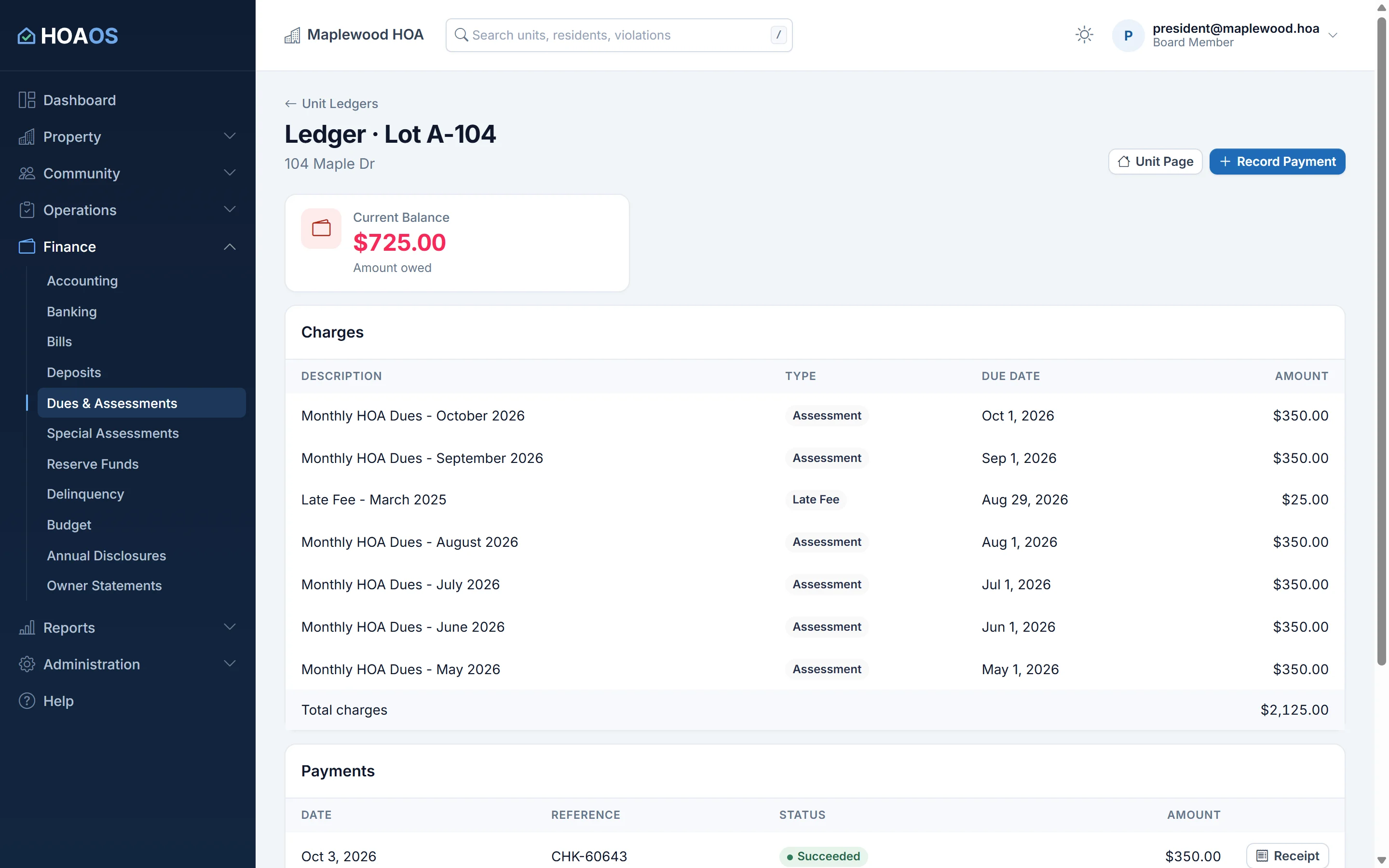
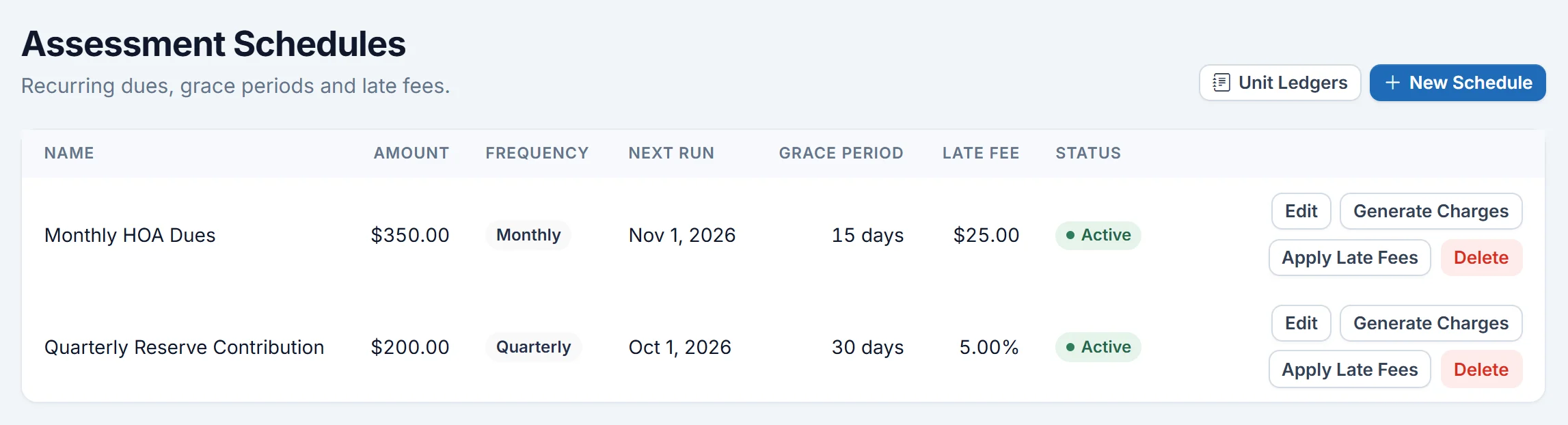
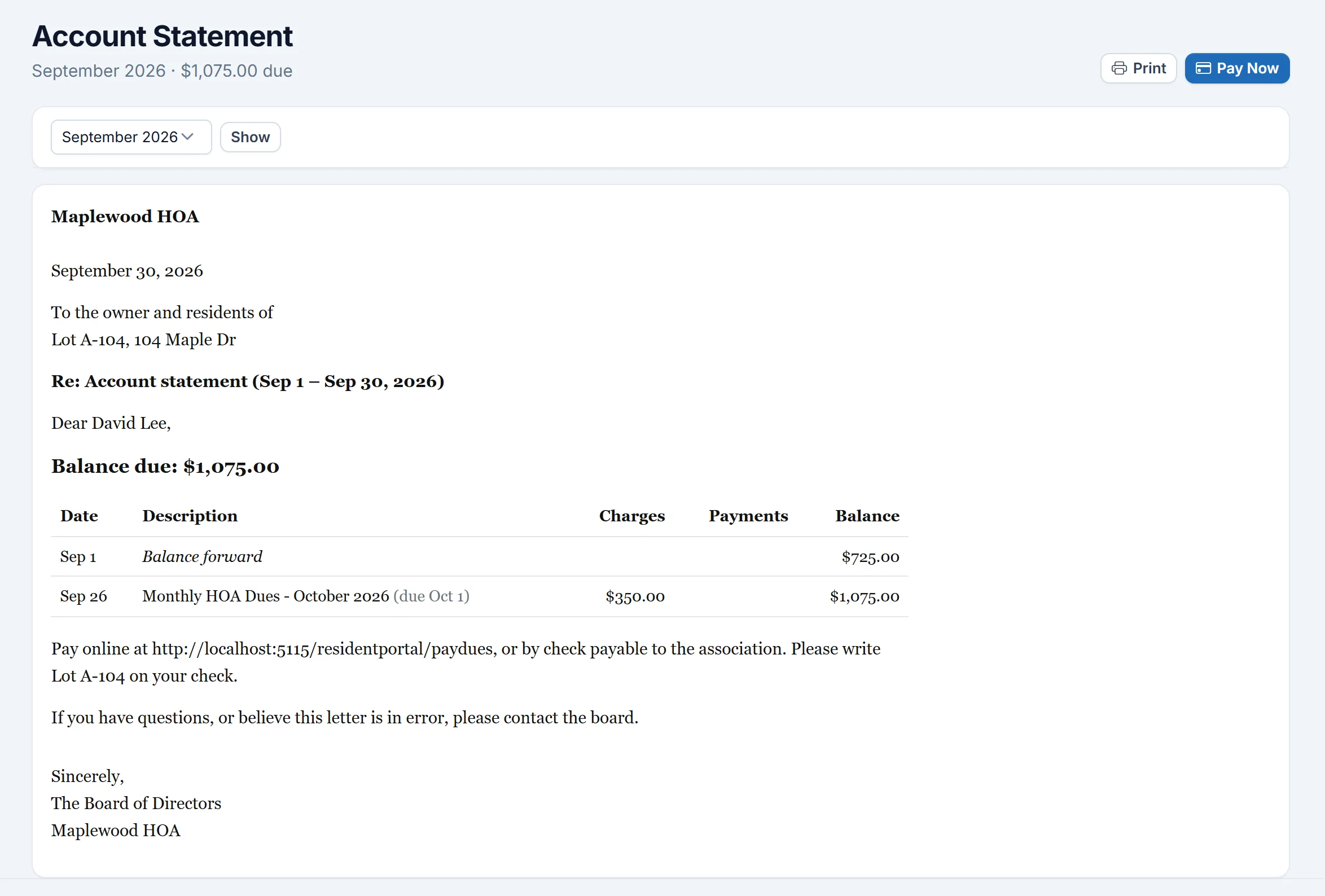
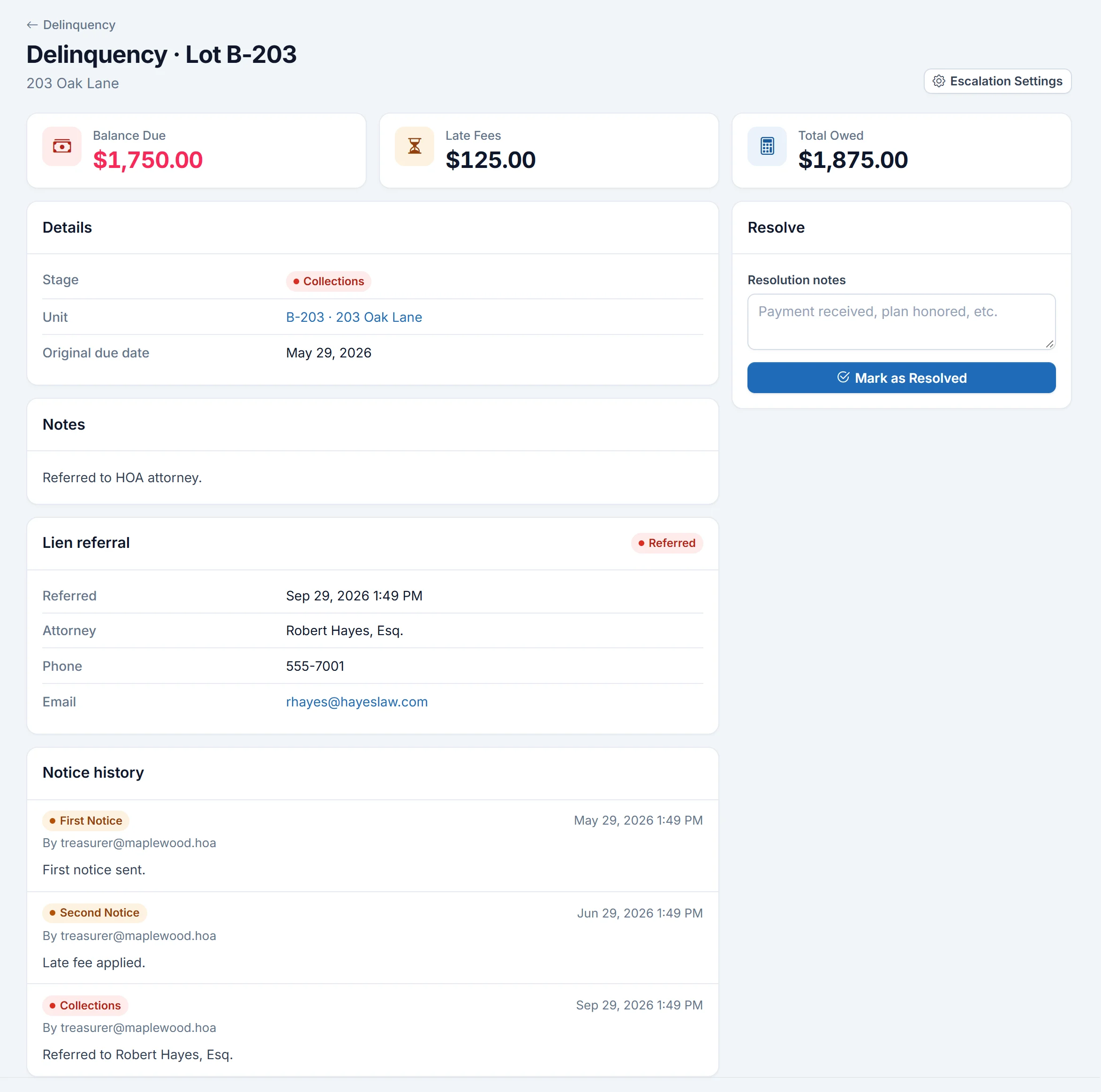
Real HOAOS screens with demo data; names and figures are made up.
Limits
A board member clicks Generate charges for each schedule each period. Late fees and reminders are automatic; the assessment itself is not.
Your accountant imports the QuickBooks journal CSV instead.
HOAOS records the referral and the attorney's details; the attorney files the lien.
They run only through the association's own Stripe account, and only after the board finishes Stripe setup.
FAQ
From the blog: How to collect HOA dues online: a guide for self-managed boards
Straight to the association. HOAOS online payments are direct charges on the association's own Stripe account, and Stripe pays them out to the association's bank account. HOAOS never holds the funds; its fees are included in the $2.45 bank fee and the card service fee.
Yes. An owner can link a bank account in the HOAOS resident portal and turn on auto-pay. On the day of the month the board chooses, HOAOS debits the owner's full outstanding balance. If three debits in a row fail, auto-pay turns off and the owner is emailed.
Yes. Each assessment schedule in HOAOS can carry a grace period and a flat or percentage late fee. Every night, HOAOS adds the fee to each charge that is past its grace period and still unpaid, once per charge.
Yes. The board records checks, cash and other payments against a unit with a reference such as the check number. A deposit slip records a stack of checks at once, and HOAOS suggests the slip as one match for the bank deposit.
Yes. HOAOS imports bank transactions from OFX, QFX or CSV statement files, or through a live Plaid bank feed, matches them to the books and walks you through a monthly reconciliation until the difference is zero.
No. Dues, late fees, delinquency tracking and the general ledger are included on every HOAOS plan, from $50 a month for up to 50 units. Online payments carry processing costs as described above, and mailed letters are billed per letter.
Keep exploring HOAOS
Get started
Set up your units and schedules, and give every owner a ledger they can see and pay.