 HOAOS
HOAOS LandlordOS
 PraxiOS
Requests on the unit page
Maintenance, service, ARC, resale and dispute requests for that unit in one list.
HOAOS Work orders
HOAOS tracks HOA maintenance requests from the resident's first report to a closed work order. Residents submit a request with a category, description and photo from the resident portal, and the board assigns it to a vendor and moves it from Submitted to Assigned, In Progress and Closed. The resident is emailed at each change, and every work order keeps its notes, vendor and billed cost.
Example HOAOS work order list: a sink leak just submitted, a gutter assigned to a roofing vendor, a broken sprinkler in progress with a landscaper, and an exterior light closed with a $140 billed cost.
Key facts
01 / Requests
From the resident portal. A resident opens Submit a Request, chooses Maintenance, picks the unit if they have more than one, chooses a category (general, plumbing, electrical, landscaping, roofing, HVAC or other), describes the problem and can attach a photo. The request arrives on the board's list as Submitted and on the board's to-do list until someone assigns it.
Maintenance requests are kept apart from administrative service requests, such as a gate fob, parking permit or pool pass, which have their own request types and an optional fee charged when the board fulfils them.
02 / Workflow
From the work order's page. A board member or manager sets the status, picks the vendor and the person responsible, and adds a note. Every status change writes a note to the history, and the resident who filed the request is emailed the new status with the note.
On the list and the board's to-do list as unassigned.
Choose a vendor from the directory and, if you like, name the person on it.
Add notes as it goes: public ones the resident sees, or board-only ones.
Close one, or tick several and close them together. Rate the vendor afterward.
03 / Vendors
With a vendor directory the board shares. Each vendor has a trade, contact details, website, notes and an insurance expiry date. HOAOS emails the vendor 60, 30 and 7 days before its certificate expires, asking for a new one, and the board can filter the list by trade or by insurance expiring soon.
Behind each vendor you can keep contracts with start and end dates and the signed file, ratings from 1 to 5 with notes after a job, and the money side: vendor bills with lines by account, linked to a work order, so the work order shows its billed cost once the bill is approved.
A vendor record in HOAOS
04 / History & reports
Yes. Each unit's page in HOAOS lists every request filed for it, together with its other requests, and each work order keeps its full history of status changes and notes. The board can export the work order list to CSV and run a yearly maintenance summary.
Maintenance, service, ARC, resale and dispute requests for that unit in one list.
A year's requests by status and by category, with the average days to close.
Lot, address, category, description, status, assignee, submitter and dates.
Inside HOAOS
Real HOAOS screens, with demo data loaded.
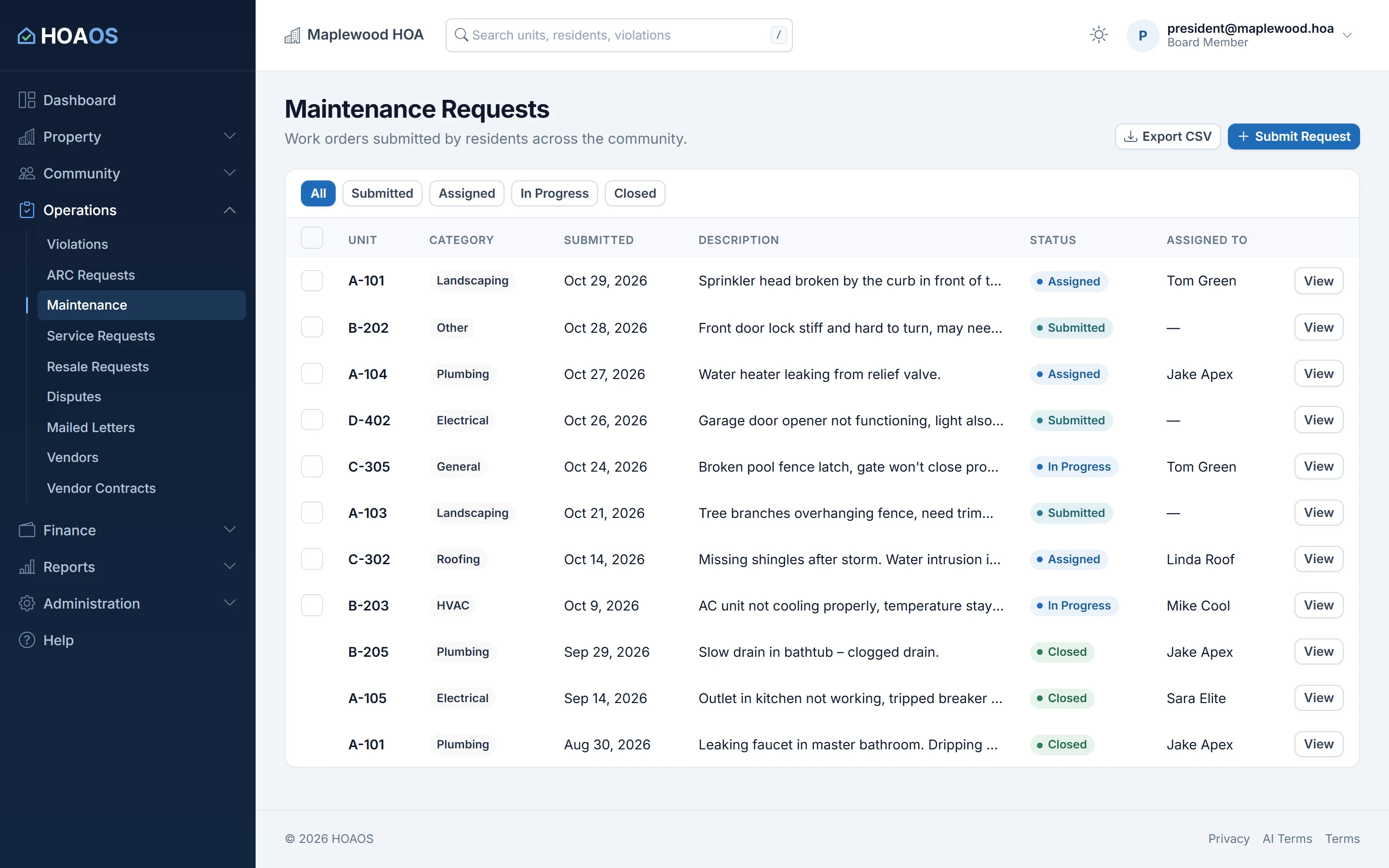
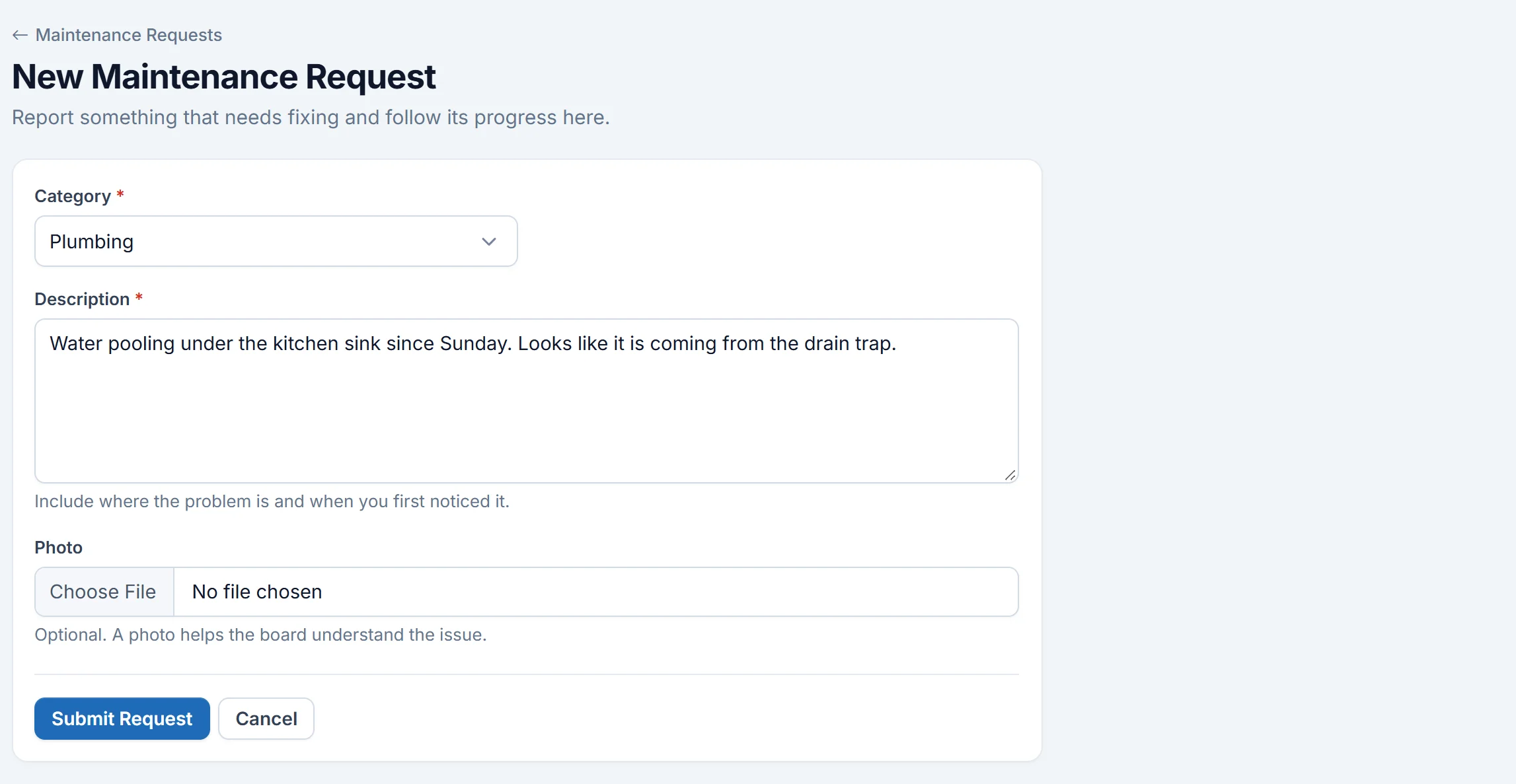
Real HOAOS screens with demo data; names and figures are made up.
Limits
Every work order belongs to a unit and is filed by a resident of that unit. A resident can report a broken gate, but it is filed under their unit, and the board can't open a work order of its own.
HOAOS records the assignment; you contact the vendor yourself.
HOAOS has no preventive maintenance schedules or recurring work orders.
A maintenance request carries a single photo.
Yes. HOAOS emails the resident who filed a request every time its status changes, with the board's note. Residents can also open the request in the portal at any time.
Yes. A note on a HOAOS work order can be marked board-only, and the resident never sees it. Notes written with a status change stay visible to the resident.
Not as their own work orders yet. Every HOAOS work order is tied to a unit and filed by a resident who lives there, so a resident can report a broken gate, but it is filed under their unit, and the board can't open a work order itself. Vendor bills, contracts and reserve fund spending for common areas are tracked separately.
Yes. When a vendor bill in HOAOS is linked to a work order and approved, the work order shows its billed cost. The bill also posts to the association's general ledger.
Yes. Work orders, the vendor directory and maintenance reports are included on every HOAOS plan, from $50 a month for up to 50 units.
Keep exploring HOAOS
Get started
No more group texts and sticky notes. Residents ask once, and everyone can see where it stands.